
November 2026
eSSL AiFace Mars Face & Palm Attendance Machine with Wi-Fi
This is the eSSL AiFace Mars face terminal in the Wi-Fi and palm version. Staff can punch by face, palm, card or password on a 5-inch touch screen, and it has full door access control. It suits offices that want wireless setup.
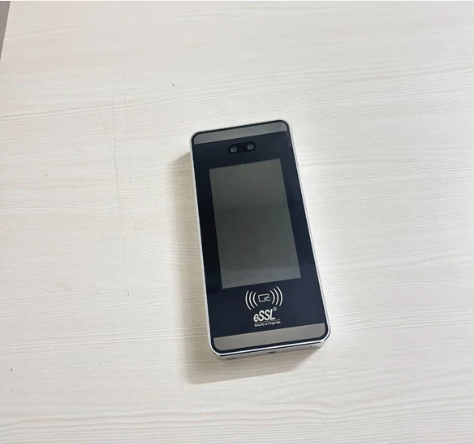
Specifications
| Display | 5-inch touch screen |
|---|---|
| Verification | Face, card, password, palm |
| Face capacity | 3,000 |
| Card capacity | 3,000 |
| Palm capacity | 3,000 |
| Transaction capacity | 150,000 |
| Operating system | Linux |
| Hardware | 900 MHz dual core CPU, 512 MB RAM, 8 GB ROM |
| Camera | 2 MP WDR low light camera with adjustable brightness LED |
| Communication | TCP/IP, Wi-Fi, Wiegand input and output, RS485; USB optional |
| Access control interface | EM lock or electric lock, door sensor, exit button, alarm output |
| Face recognition speed | 1 second or less |
| Anti-spoofing | Against printed photos, videos and 3D masks |
| Power supply | 12 V 3 A |
| Operating temperature | -10 °C to 45 °C |
| Operating humidity | 10% to 90% |
| Dimensions (W x H x D) | 91.93 x 202.93 x 21.5 mm |
| Software | eTimeTrackLite |
Frequently asked questions
Staff can mark attendance with their palm as well as face, card or password.
3,000 faces, 3,000 palms and 3,000 cards, with 150,000 records, as per the listing.
Yes. This listing is the Wi-Fi version of the AiFace Mars with palm.
Yes. It supports an EM lock or electric lock, door sensor, exit button and alarm output.
The listing states anti-spoofing against printed photos, videos and 3D masks.
12 V 3 A.
eTimeTrackLite.
It identifies each person by fingerprint, face, palm or card and records the exact punch time. Reports can be downloaded as Excel or PDF, and many models connect to software over LAN or Wi-Fi, depending on the model.
A wall mount or desk stand, a power adapter and, for network models, a LAN cable or Wi-Fi. Our team gives free technical support for setup.
Yes. Free technical support is available for installation and setup.