
November 2026
Combo-CN62 Diplomat 004 with C51 4 nos Phones
This kit pairs the Diplomat DP-004 4 line intercom with 4 Beetel C51 caller ID phones. Up to 4 phones can call each other, with no outside line. Ideal for small offices, homes and showrooms that only need internal calls.
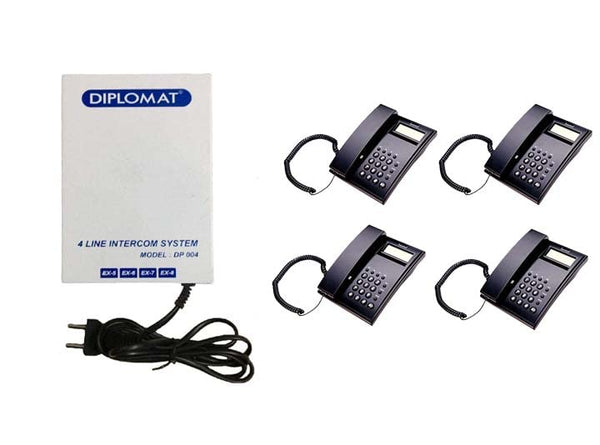
Specifications
| Intercom: Model | Diplomat DP-004 |
|---|---|
| Intercom: Phones supported | 4 |
| Intercom: Outside line | None, internal calls only |
| Intercom: Wiring | 2-core telephone cable from each phone back to the unit |
| Intercom: Phone type | Plain or caller ID phones |
| Phone: Quantity | 4 |
| Phone: Model | Beetel C51 (M51/C51) |
| Phone: Caller ID | FSK/DTMF compatible |
| Phone: Display | 16 digit LCD |
| Phone: Call memory | 30 incoming, 5 outgoing |
| Phone: Redial | 31 digit redial memory |
| Phone: Clock | Real time clock with year, date and month display |
| Phone: Flash | 300 ms default, programmable 100, 300, 600 or 1000 ms |
| Phone: Dialling | Tone or pulse, selectable through the * key |
| Phone: Ringer | Volume control switch |
| Phone: Mounting | Desk or wall |
| Phone: Certification | TEC certified |
In the box
Frequently asked questions
1 x Diplomat DP-004 unit and 4 x Beetel C51 phones.
No. The DP-004 is an internal intercom only. For outside calls on every phone, choose an EPABX combo such as one with the CCL 104B.
No. The DP-004 supports at most 4 phones. Choose an EPABX if you expect to grow.
Run 2-core telephone cable from each phone to the unit, then plug in the phones and power and pick up to test.
Small offices, homes and showrooms that only need internal calls.
Yes. The C51 works on landlines and EPABX extensions, so you can move them to an EPABX if you upgrade.
No. Standard corded or cordless telephones work as extensions. Simple 2 core telephone wire connects each extension to the exchange.
Pick the number of outside lines that can be in use at the same time and the number of desks or rooms to connect, then add some spare extensions for growth.
Yes. Free technical support is available for installation and setup.