NavKar Systems
(SRN-RM2) Remote Control Alarm Kit – Old Age People Panic Alarm Button | Dual Mode | Call Bell 300m Loud Hooter Emergency Siren for Home Dukaan Jewellery, 2 remotes
(SRN-RM2) Remote Control Alarm Kit – Old Age People Panic Alarm Button | Dual Mode | Call Bell 300m Loud Hooter Emergency Siren for Home Dukaan Jewellery, 2 remotes
Couldn't load pickup availability
Remote Control Alarm Kit
- Buy on Amazon: CLICK HERE TO BUY ON AMAZON
Product Overview
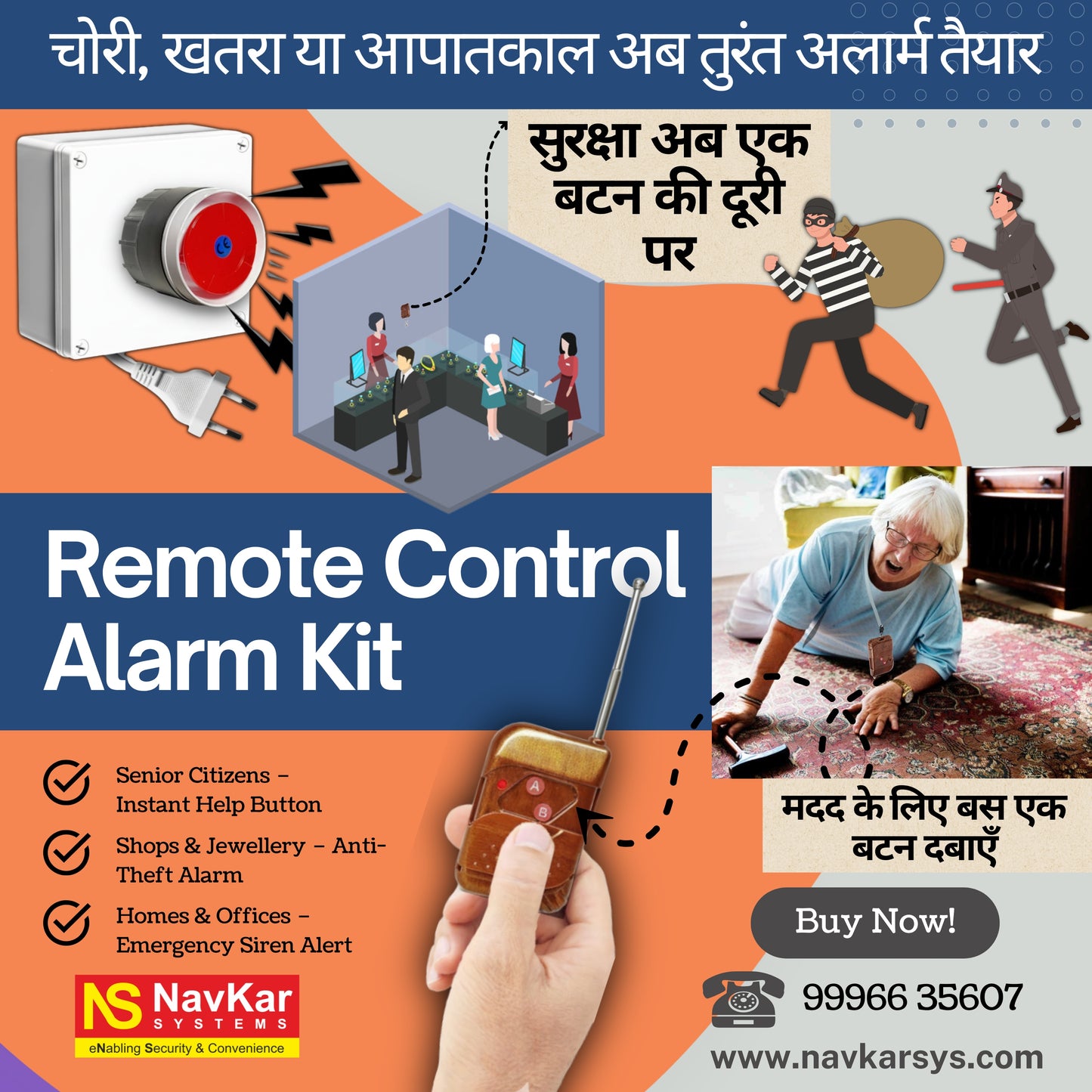
The NAVKAR SYSTEMS Remote Control Alarm Kit is a wireless emergency and security alarm system designed for senior citizens, elderly people, patients, homes, shops, offices and security applications. It includes 2 wireless remote controls that allow the alarm to be activated from a distance for quick emergency assistance or security alerts.
The system operates on 220V AC and features a 110dB loud siren/hooter to attract attention when activated. Its dual-button remote provides two operating modes: Button A works as an ON/OFF alarm switch, while Button B activates the alarm when pressed and held and stops it when released. The system is designed for easy installation by plugging it into a power source and can be wall-mounted or placed on a flat surface. The specified wireless coverage is up to 100 metres, with actual range depending on the surrounding environment.
Main Purpose
- Emergency Assistance – Provides a quick way to alert family members, caregivers or nearby people during an emergency.
- Senior Citizen Safety – Designed to help elderly users request immediate assistance when needed.
- Home Security – Can be used as a remotely activated alarm for homes and residential premises.
- Anti-Theft Protection – Provides a loud warning signal for security incidents in shops, jewellery stores and other commercial locations.
- Call-Bell Function – Provides a temporary wireless alert function for situations where assistance is required without keeping the alarm continuously active.
Key Benefits
- Quick Remote Activation – Allows the alarm to be activated without reaching the main alarm unit.
- Dual-Button Operation – Provides separate functions for ON/OFF alarm control and press-and-hold temporary activation.
- Loud 110dB Alert – Helps attract attention during emergencies and security situations.
- Wireless Convenience – Reduces the need for signal wiring between the remote and alarm unit.
- Easy Installation – Designed for simple plug-in use with a 220V AC power source.
- Flexible Placement – Alarm unit can be wall-mounted or placed on a suitable flat surface.
- Extended Wireless Coverage – Supplied information specifies up to 100 metres wireless coverage, depending on the environment.
Important Features
- 2 Wireless Remote Controls – Allows convenient alarm activation from different locations.
- Button A – ON/OFF Mode – Quick press turns the alarm ON; press again turns it OFF.
- Button B – Temporary Alarm Mode – Press and hold to activate; release to deactivate.
- 110dB Loud Siren/Hooter – Provides a high-volume audible warning.
- 220V AC Powered – Designed for connection to a standard AC power source.
- Wireless RF Operation – Enables remote alarm activation without signal cables.
- Wall-Mount or Tabletop Use – Flexible installation options for homes and commercial premises.
Product Specifications
- Model: Remote Control Alarm Kit
- Product Type: Wireless Remote-Controlled Emergency & Security Alarm
- Brand: NAVKAR SYSTEMS
- Power Supply: 220V AC
- Communication: Wireless RF
- Wireless Frequency: 446MHz
- Operating Range: Up to 100 metres wireless alarm zone; the product description also mentions up to 300 metres in open conditions
- Material: ABS Plastic
- Dimensions: 12 x 12 x 8 Centimeters
- Weight: 400g
-
Other Specifications: 110dB loud siren/hooter, 2 wireless inbuilt remotes, dual-button remote operation, Button A ON/OFF function, Button B press-and-hold function, wall-mount or flat-surface installation, two-pin plug-in power connection.
Applications
- Elderly Emergency Assistance – Provides quick remote alarm activation for senior citizens who may require immediate help.
- Home Security – Can be used as a panic and emergency alarm in residential premises.
- Jewellery Shops – Provides a remotely activated loud alarm for security and anti-theft situations.
- Retail Shops & Offices – Suitable for quickly alerting staff or nearby people during emergencies.
- Clinics & Patient Care – Useful where patients or staff may need to call for assistance.
- Warehouses & Commercial Premises – Provides an additional wireless emergency alert option.
Suitable For
- Senior Citizens & Patients – Suitable for users who may need quick access to an emergency alarm.
- Homes & Care Environments – Suitable for residential emergency assistance applications.
- Shops & Commercial Premises – Suitable for jewellery stores, retail shops, offices and warehouses.
- Indoor Installation – Suitable for locations with access to a 220V AC power source.
- Wall or Flat-Surface Installation – Alarm unit can be mounted on a wall or placed on a suitable flat surface.
Not Suitable For
- Battery-Only Applications – The main alarm unit requires a 220V AC power supply.
- Locations Without AC Power – Not suitable where the alarm cannot be connected to the required power source.
- Guaranteed 300m Wireless Coverage – Actual wireless range can vary depending on walls, obstacles, interference and installation conditions.
- Direct Emergency-Service Calling – The system activates its local siren/hooter and does not independently contact emergency services.
- Wet or Unprotected Outdoor Installation – No specific waterproof or weatherproof rating is provided in the supplied product information.
Package Contents
- Remote Control Alarm Unit – 1 Piece
- Wireless Remote Controls – 2 Pieces
Installation
- Select the Location – Choose a suitable location where the alarm can be clearly heard and where a standard 220V AC power source is available.
- Mount or Place the Alarm – Mount the alarm unit on a wall or place it securely on a flat surface.
- Connect Power – Plug the alarm unit into the standard two-pin 220V AC power source.
- 🅰️🅱️Two Button Remote : Button🅰️- Quick Press to Turn On Alarm, Quick Press Again to Turn Off - Like a Light Switch for Your Alarm! Button 🅱️ - Press & Hold to Activate alarm Release to Deactivate it.
- Dual-Mode Emergency Remotes: 🅰️ for immediate help during crises Panic Alarm (SOS button) and 🅱️ for non-emergencies call bell ( Press & Hold to Activate)
- Position and Test the Remotes – Keep the two wireless remotes at convenient locations and test both buttons to confirm proper alarm operation.
Wiring
The alarm is designed for simple plug-in installation and does not require separate signal wiring between the remotes and the alarm unit.
- Power: 220V AC through the supplied two-pin power connection.
- Input: Wireless RF signals from the two supplied remote controls.
- Output: Built-in 110dB siren/hooter.
- Other Connections: No external wired connection is specified for the wireless remotes.
Programming
- Power the Alarm Unit – Connect the alarm to the 220V AC supply.
- Check the Remotes – Test the supplied remotes to confirm they communicate with the alarm unit.
- Confirm Both Functions – Verify Button A operates the ON/OFF function and Button B operates the press-and-hold temporary alarm function.
Operation
- Button A – ON/OFF Alarm: Press Button A once to turn the alarm ON and press it again to turn the alarm OFF.
- Button B – Temporary Alarm: Press and hold Button B to activate the alarm and release it to deactivate it.
- Alarm Activation: When activated, the built-in 110dB siren/hooter sounds to attract attention during an emergency or security event.
Troubleshooting
-
Problem: Alarm does not turn ON
Solution: Check that the alarm is properly connected to the 220V AC power supply and test Button A again. -
Problem: Remote does not activate the alarm
Solution: Move closer to the alarm unit and check for obstacles or sources of wireless interference. Test both supplied remotes. -
Problem: Alarm activates intermittently
Solution: Check the remote's operating distance and reposition the alarm or remote to reduce interference and physical obstructions.
Common Problems
- No Power – Check the 220V AC power connection and the electrical outlet.
- Weak Wireless Signal – Reduce the distance between the remote and alarm unit and avoid major obstacles or interference.
- Incorrect Button Operation – Use Button A for ON/OFF operation and Button B for press-and-hold temporary activation.
FAQs
Q: Does the alarm require complicated wiring?
A: No. The alarm is designed for simple plug-in installation using a standard two-pin 220V AC power connection.
Q: How many remotes are included?
A: The package includes 2 wireless remotes.
Q: How does Button A work?
A: Press Button A once to turn the alarm ON and press it again to turn the alarm OFF.
Q: How does Button B work?
A: Press and hold Button B to activate the alarm and release it to deactivate it.
Q: What is the alarm sound level?
A: The product information specifies a 110dB siren/hooter.
Q: What power supply does the alarm use?
A: The alarm unit operates on 220V AC.
Q: What is the wireless operating range?
A: The product specification states up to 100 metres wireless alarm zone; the product description also mentions coverage up to 300 metres in open conditions. Actual range depends on the environment.
Spare Parts
- Wireless Remote Control – Replacement subject to availability and compatibility.
- Remote Battery – Replacement battery for the wireless remote, subject to the battery specification of the supplied remote.
- Alarm Unit – Replacement unit subject to availability.
Warranty:
Videos
- [Installation Video]
- [Programming Video]
- [Product Demonstration Video]
Manuals
- [User Manual]
- [Installation Manual]
Downloads
- [Datasheet]
- [Wiring Diagram]
- [Catalogue / Brochure]
- [Other Download]
Customer Questions
Q: How many wireless remotes are included in the alarm kit?
A: The kit includes 2 wireless remote controls for convenient alarm activation.
Q: Is this alarm suitable for senior citizens?
A: Yes. It is designed for elderly and senior citizens who may require quick emergency assistance.
Q: What is the power supply required?
A: The alarm unit operates on 220V AC and is designed for simple plug-in installation.
Q: How loud is the alarm?
A: The system features a 110dB loud siren/hooter designed to attract attention during emergencies or security situations.
Q: How does Button A on the remote work?
A: Press Button A once to turn the alarm ON and press it again to turn the alarm OFF.
Q: How does Button B work?
A: Press and hold Button B to activate the alarm; release the button to deactivate it.
Q: Can the alarm be used as a call bell?
A: Yes. The press-and-hold function can be used as a temporary call-bell or assistance alert.
Q: What is the wireless range?
A: The supplied product information specifies up to 100 metres wireless alarm coverage. Actual range can vary depending on walls, obstacles and interference.
Q: Can it be used in a jewellery shop?
A: Yes. It can be used for emergency assistance, security alerts and anti-theft applications in jewellery shops and other commercial premises.
Q: Can the alarm unit be wall-mounted?
A: Yes. It can be wall-mounted or placed on a suitable flat surface.
Q: Does it require complicated wiring?
A: No. The alarm is designed for plug-and-play use with a 220V AC power source; the remotes communicate wirelessly with the alarm unit.
Q: Does the alarm automatically contact emergency services?
A: No. The system activates its local siren/hooter and does not independently contact emergency services.
Escalation to Support
If the issue cannot be resolved using the information above, Please contact Navkar Systems at Whatsapp Support number: 91384 68548 with the following information:
- Product Model:
- Purchase Date:
- Problem Description:
- Installation Details:
- Photos / Videos:
- Previous Troubleshooting Performed:
Frequently asked questions
How do I choose the right power supply?
Match the voltage (usually 12V DC) and make sure the current rating is higher than the total current of the lock or device you power. A supply with a higher amp rating is safe.
How many remotes can be paired?
The number is listed in the product details. Extra remotes of the same frequency can be bought separately and paired by following the manual.
Is installation support available?
Yes. NavKar Systems provides free technical support and wiring guidance for setup.
Is a GST invoice provided?
Yes. NavKar Systems provides a GST invoice with every order and delivers across India.
Is technical support available?
Yes. Free technical support is available for installation and setup.