
Beetel
X-90 Cordless Landline Phone
X-90 Cordless Landline Phone
Couldn't load pickup availability
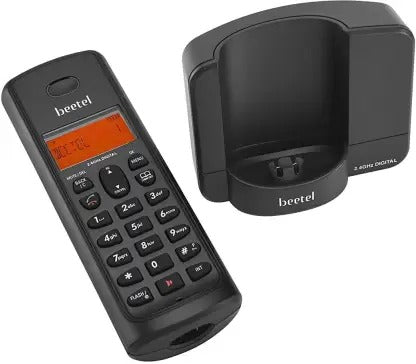
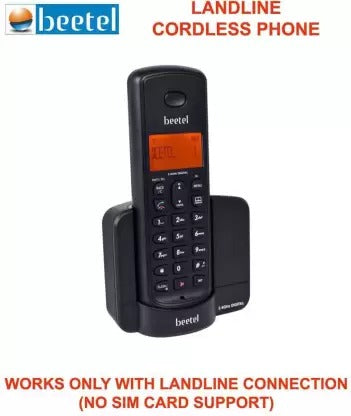
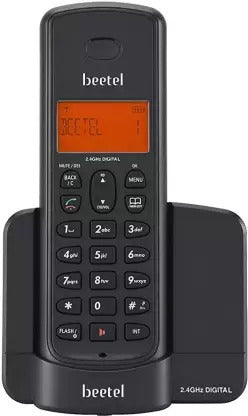
"Beetel X-90 Cordless Landline Phone" offers the perfect blend of convenience and communication. With cordless mobility, it allows you to move freely while staying connected. The user-friendly features, including a backlit display and easy-to-use buttons, enhance the calling experience. It boasts a stylish design that complements any decor. The clear sound quality ensures crystal-clear conversations, and the built-in phonebook keeps your contacts at your fingertips. Elevate your landline communication with the "Beetel X-90 Cordless Landline Phone," providing flexibility, ease of use, and reliable connectivity for both personal and professional needs.
FEATURES
- 2.4GHz Digital Technology Cordless
- Dual Mode DTMF / FSK Caller ID System Compatible
- 1-Line, 14-Segment Alphanumeric LCD Display
- Orange Backlit LCD Display
- 40 Incoming Calls Memory
- Phone Book to store 50 Nos. with Name
- Two-way Speakerphone with Adjustable Volume
- 5 -Step Receive Volume Control
- 5 –Normal Ring Tones & 5 -Polyphonic Ring Tones at Handset with Adjustable Volume
- 6 -Step Ringer Volume Control at Handset with OFF
- Handset – ON / OFF
- Key Tone – ON / OFF
- Auto Answer – ON / OFF
- Handset Keypad – Lock / Unlock
- Alarm Function
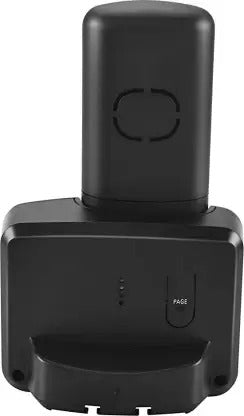
- Handset Locator ( Paging from Base Unit to Handset )
- Provision for Handset Name
- Tone / Pulse dialing mode ( Programmable )
- Pre-dialing and Clearing Function
- Last Number Redial
- Mute Function
- Out of Range Warning Tone
- Low Battery Warning Tone
- Battery Charging Level Indicator on Handset
- Provision for Resetting to Default Settings in Handset & Base Unit
The right phone for the job.
Walk and talk around the home, shop or warehouse. It works on any landline and with every NavKar EPABX system.

How to connect.
- Plug the line cord into the wall socket or the rosette on your EPABX extension.
- Plug the base into power and charge the handset.
- Set tone dialling and make a test call.
Why is caller ID not showing?
The line or EPABX must send caller ID and your provider must have it enabled.


