
Secureye
SecureEye Fingerprint Time Attendance Device: S-B251CB LAN + Wifi
SecureEye Fingerprint Time Attendance Device: S-B251CB LAN + Wifi
Couldn't load pickup availability
- This Machine is only for Attendance and Not for Access Control
- Colored screen + compact design (2 years warranty)
- Use it with Ontime Software to Download Attendance in PC
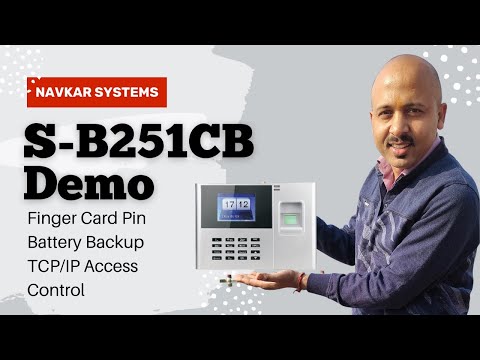
- 3000 Fingerprint + 3000 Card + 3000 Password capacity
Secureye S-B251CB
Specifications
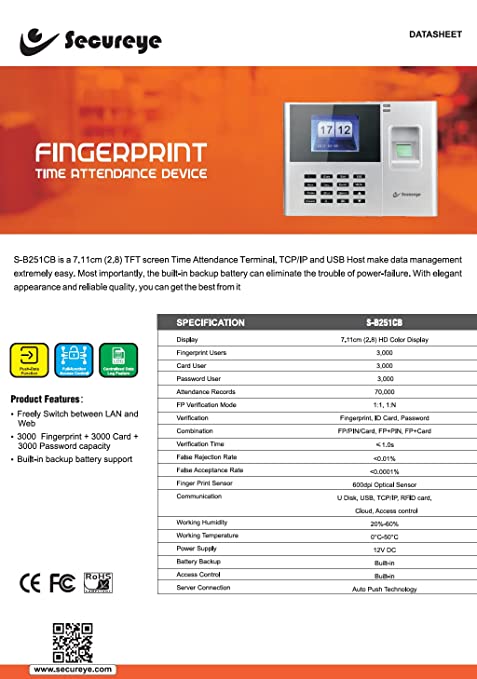
The Secureye S-B251CB is a cloud based fingerprint, card and password attendance machine with a 2.8-inch colour screen and a built-in backup battery. It holds 3,000 users of each type and works with Secureye Ontime software on PC.
| Display | 2.8-inch (7.11 cm) TFT colour |
|---|---|
| Fingerprint capacity | 3000 |
| Card capacity | 3000 |
| Password capacity | 3000 |
| Communication | TCP/IP, USB host |
| Network mode | Switch freely between LAN and web (cloud) |
| Battery | Built-in backup battery |
| PC software | Ontime |
| Warranty | 2 years (as stated on listing) |
Specifications from NavKar Systems' product details for this model. All prices include GST.
Frequently asked questions
How many employees can the S-B251CB hold?
3,000 fingerprints, 3,000 cards and 3,000 passwords.
Does it work in a power cut?
Yes. It has a built-in backup battery.
How do I get attendance on my PC?
Use Secureye Ontime software to download attendance to your PC.
Can it work over the cloud?
Yes. It can switch between LAN and web (cloud) mode.
Can it open a door?
This listing sells it for attendance only, not access control.
What is the warranty?
The listing states 2 years warranty.
How does a biometric attendance machine work?
It identifies each person by fingerprint, face, palm or card and records the exact punch time. Reports can be downloaded as Excel or PDF, and many models connect to software over LAN or Wi-Fi, depending on the model.
What do I need to install it?
A wall mount or desk stand, a power adapter and, for network models, a LAN cable or Wi-Fi. Our team gives free technical support for setup.
Is technical support available?
Yes. Free technical support is available for installation and setup.
