NavKar Systems
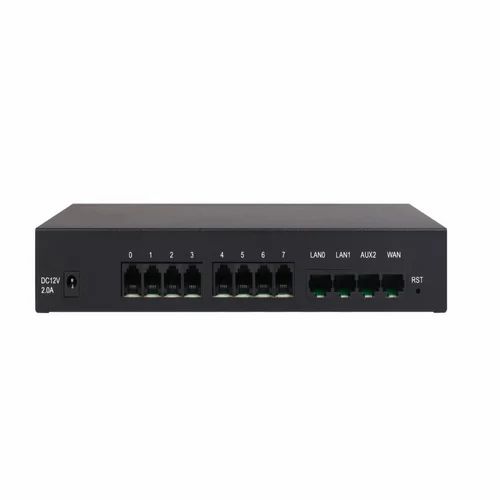
FXS Gateway-8 Ports
FXS Gateway-8 Ports
Couldn't load pickup availability
Bridge every system.
An FXS gateway lets ordinary analogue phones, fax machines and door phones work on an IP-PBX, so you keep the phones you already have.

How to install.
- Mount the device near your network switch.
- Connect it to the LAN; use PoE or the adapter for power.
- Configure it in your IP-PBX with its SIP or trunk settings.
- Connect lines or phones to the ports and test.
Read the add-ons section of our guide to plan your system.
NavKar Systems FXS Gateway 8 Ports
Specifications
An 8-port FXS gateway that lets ordinary analogue phones, fax machines and door phones work on an IP-PBX, so you keep the phones you already have. It mounts near your network switch, connects to the LAN and is powered by PoE or an adapter.
| Type | FXS gateway |
|---|---|
| Ports | 8 FXS ports |
| Network connection | LAN |
| Power | PoE or adapter |
| Setup | Configure in the IP-PBX with its SIP or trunk settings |
| Connects | Analogue phones, fax machines and door phones |
Specifications from NavKar Systems' product details for this model. All prices include GST.
Frequently asked questions
What does an FXS gateway do?
It lets ordinary analogue phones, fax machines and door phones work on an IP-PBX, so you can keep your existing phones.
How many ports does this gateway have?
8 FXS ports for your analogue devices.
Can I connect a door phone?
Yes. The listing says FXS gateways let door phones work on an IP-PBX.
Does it need an IP-PBX?
Yes. You configure it in your IP-PBX using its SIP or trunk settings.
How is it powered?
Use PoE or the adapter. Check which one comes with the unit before ordering.
Where should I install it?
Near your network switch, connected to the LAN.
What is the difference between FXS and FXO?
FXS connects analogue phones to an IP system. FXO connects ordinary landlines to an IP system.
Which bigger or smaller models are available?
NavKar lists FXS gateways with 8, 16 and 32 ports, and a combined 4 port FXS plus 4 port FXO gateway.
What is an EPABX?
An EPABX is a small phone exchange. It shares a few outside lines between many extensions and lets staff call each other free of charge on an intercom.
Do I need special phones?
No. Standard corded or cordless telephones work as extensions. Simple 2 core telephone wire connects each extension to the exchange.
How do I choose the number of lines and extensions?
Pick the number of outside lines that can be in use at the same time and the number of desks or rooms to connect, then add some spare extensions for growth.
Is technical support available?
Yes. Free technical support is available for installation and setup.