NavKar Systems
SES-15 Hotel Card Switch Energy Saving Switch Key Card Switch Electricity Panel Switch
SES-15 Hotel Card Switch Energy Saving Switch Key Card Switch Electricity Panel Switch
- Amazon.in
- Rs. 1,399
- Here, direct
- Rs. 1,200
- You save
- Rs. 199 (14%)
View on Amazon.in Amazon price checked 27 Oct 2026. Amazon prices change often.
Couldn't load pickup availability
Hotel Card Switch Energy Saving Switch
- Buy on Amazon: CLICK HERE TO BUY ON AMAZON
Product Overview
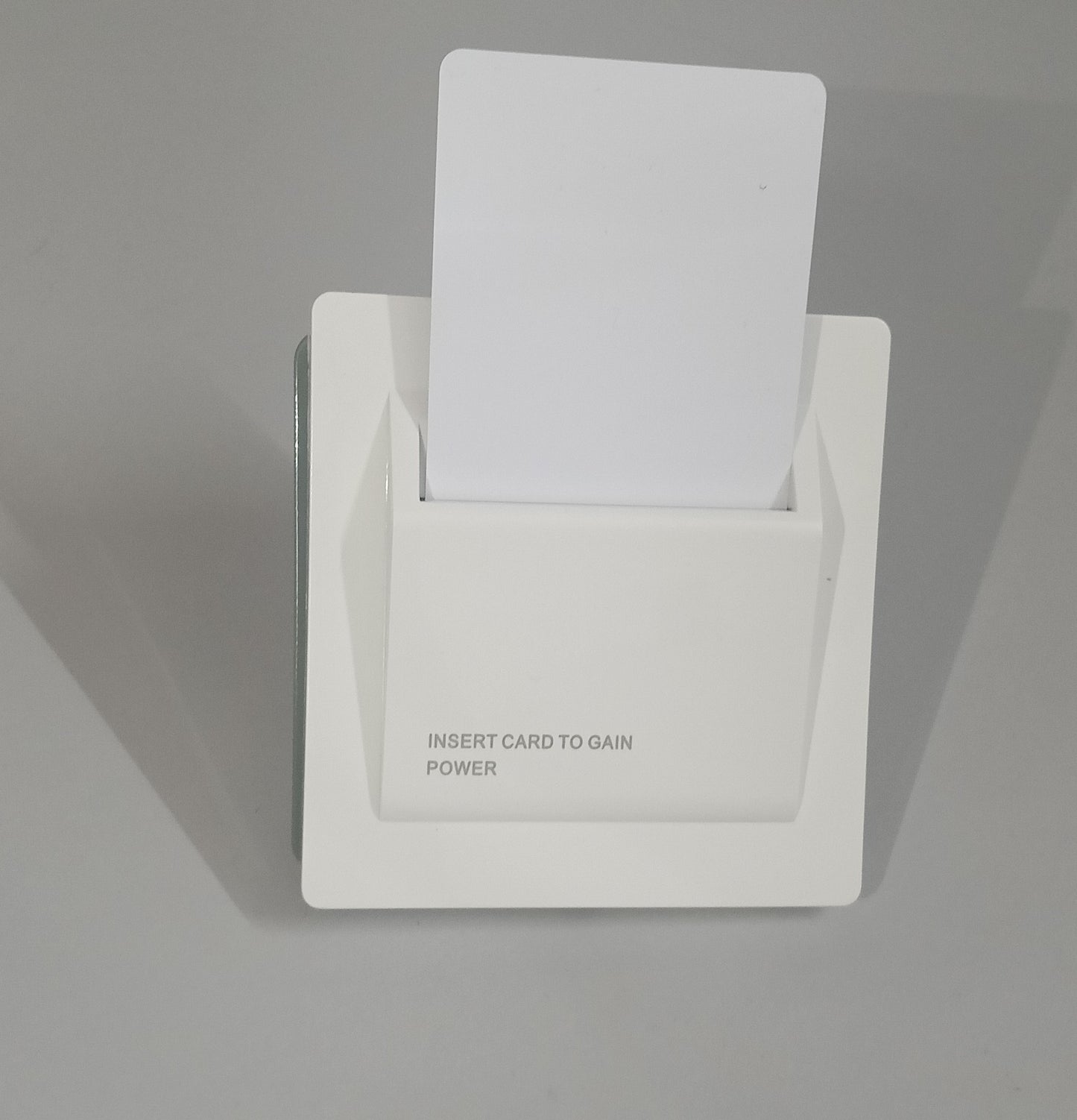
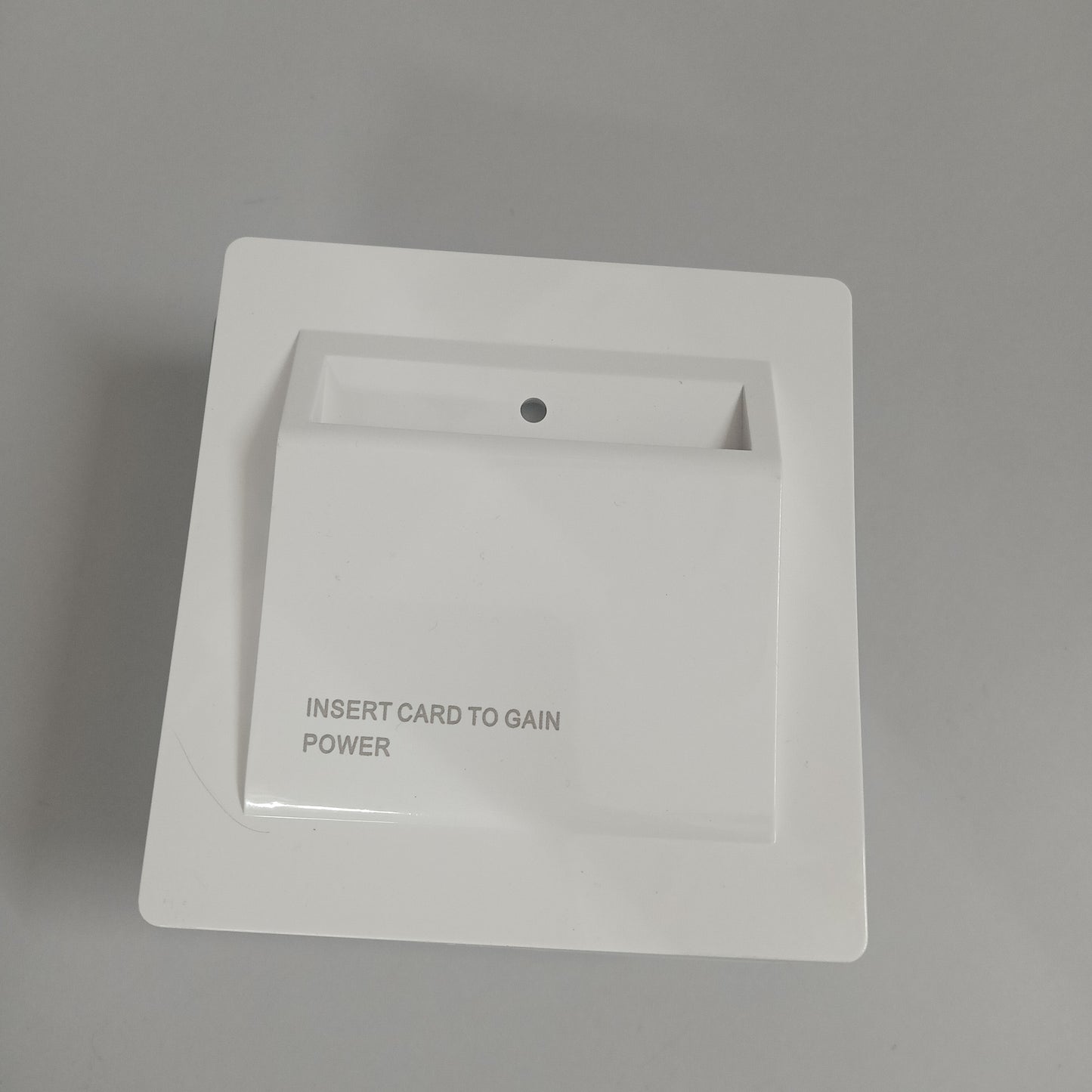
NAVKAR SYSTEMS SES-15 Hotel Card Switch is a wall-mounted energy-saving power control switch designed primarily for hotel rooms, guest rooms, offices and similar spaces. The front card slot activates power when a card is inserted, helping prevent unnecessary electricity usage when the room is unoccupied. The switch features a soft-white, high-gloss polycarbonate finish, a compact wall-hugging design and a smooth surface intended for easy cleaning.
Main Purpose
- Hotel Room Energy Management – Helps control room electricity through card insertion and removal.
- Reduce Unnecessary Power Usage – Helps prevent electrical loads from remaining unnecessarily active when the guest leaves the room.
- Guest-Controlled Power Activation – Power is activated when the card is inserted and the internal microswitch detects the card.
- Automatic Time-Lapse Option – The SES-15 provides 15-second and 30-second time-lapse options according to the product specification.
Key Benefits
- Energy Saving – Designed to reduce electricity wastage caused by unattended hotel-room loads.
- Card-Based Activation – Convenient card insertion mechanism for controlling room power.
- Clean Modern Appearance – Soft-white high-gloss polycarbonate body complements contemporary interiors.
- Easy to Clean – Smooth, free-flowing surface helps simplify routine cleaning.
- Wall-Hugging Design – Compact construction sits neatly against the wall.
- Hotel-Friendly Design – Particularly suited to hospitality environments where room power management is required.
Important Features
- Model: SES-15
- Type: Hotel Card Energy Saving Switch
- Card Detection: Any card
- Electrical Rating: 240V, 40A
- Time-Lapse Options: 15 seconds / 30 seconds
- Material: Polycarbonate
- Finish: Soft White, High Gloss
- Installation: Wall-mounted
- Front Card Slot: “INSERT CARD TO GAIN POWER”
- Application: Hotel rooms, guest rooms and similar accommodation spaces
Product Specifications
- Model: SES-15
- Product Type: Hotel Card Switch / Energy Saving Key Card Switch
- Brand: NAVKAR SYSTEMS
- Power Supply: 240V, 40A
- Communication: Card-operated / Micro-switch detection; no WiFi, GSM or RF communication specified
- Operating Range:
- Material: Soft white high-gloss polycarbonate
- Dimensions: 10 x 10 x 4.5 Centimeters
- Weight: 90g
-
Other Specifications: Any card compatible; power activation when the micro-switch detects card insertion; 15-second and 30-second time-lapse options; thin wall-hugging design; smooth, easy-to-clean surface.
Applications
- Hotel Guest Rooms – Designed to control room electricity through card insertion, helping reduce unnecessary power consumption when the room is unoccupied.
- Hotels & Hospitality Properties – Suitable for guest-room energy management in hotels, resorts, serviced apartments and similar properties.
- Hostels & PG Accommodation – Can be used to manage room-level electrical power through a simple card-operated system.
- Guest Houses & Rental Rooms – Useful where electricity should be activated when the occupant enters and controlled when the room is vacated.
- Commercial Accommodation – Suitable for projects requiring a dedicated energy-saving switch at individual rooms.
Suitable For
- Hotel & Guest-Room Applications – Suitable for controlling selected room electrical circuits through card insertion.
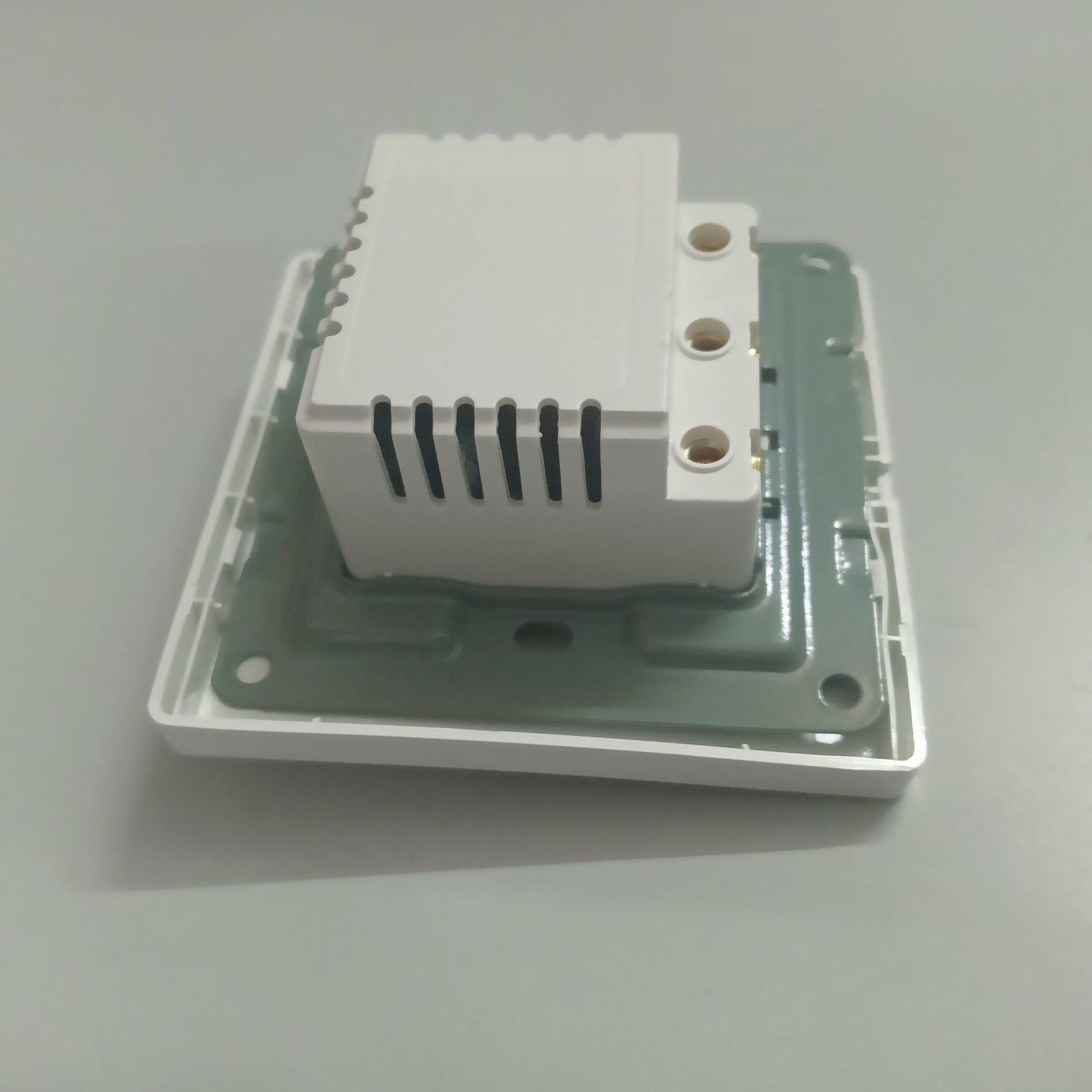
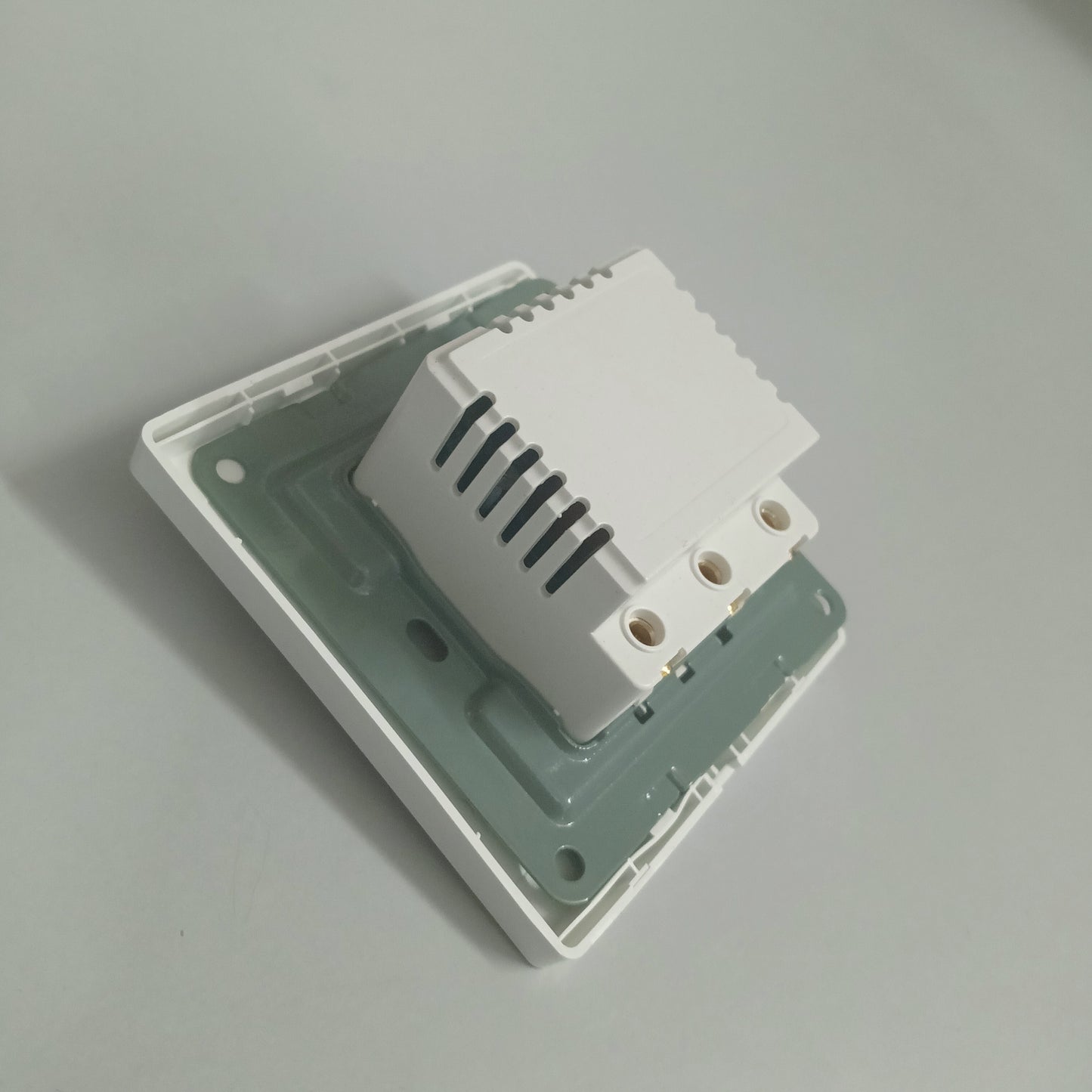
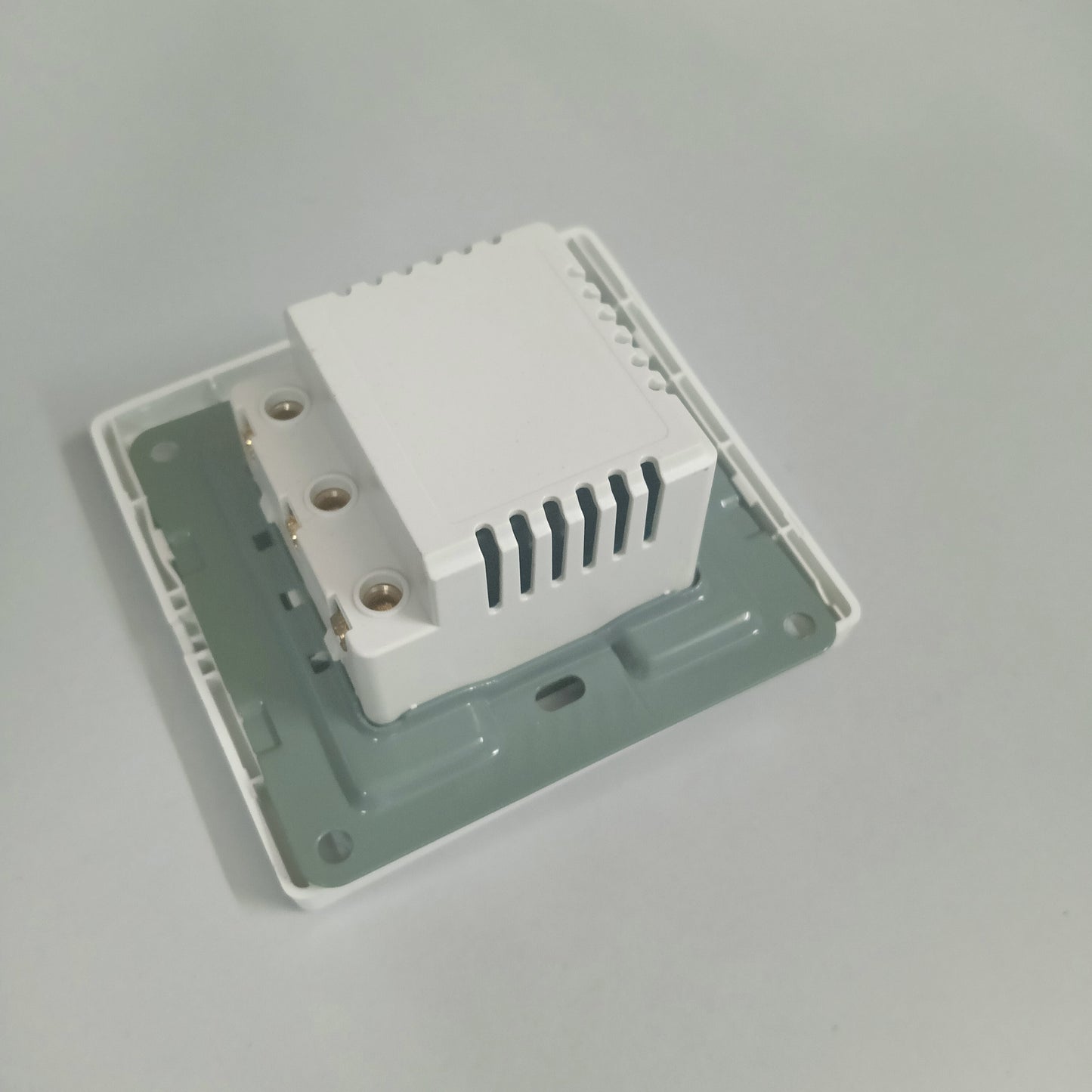
- Wall-Mounted Installation – Designed as a wall-mounted switch with a front card slot and integrated rear electrical module, as shown in the supplied images.
- New Installations & Renovation Projects – Suitable for hospitality electrical installations where a dedicated energy-saving card switch is required.
- Indoor Environments – Suitable for normal indoor room environments; the supplied product information does not specify outdoor or waterproof installation.
- Electrical Systems Within Rating – Suitable for applications operating within the specified 240V, 40A rating.
Not Suitable For
- Outdoor Installation – Outdoor/weatherproof use is not specified for this model.
- Wet or Water-Exposed Areas – The supplied information does not specify waterproof or moisture-resistant construction.
- Loads Above the Rated Capacity – Connected electrical loads should not exceed the specified 240V, 40A rating.
- Advanced Smart-Control Applications – WiFi, GSM, Bluetooth or app-based control is not specified for the SES-15.
- Improper Electrical Installation – The unit should be installed and wired by a qualified electrician, particularly because it is designed for mains electrical control.
Package Contents
- SES-15 Hotel Card Energy Saving Switch – 1 Pc
Installation
- Select the Installation Location – Choose a suitable indoor wall position, preferably near the room entrance where the occupant can easily insert or remove the card.
- Prepare the Wall & Electrical Box – Prepare the required wall opening/back box and electrical wiring according to the installation requirements of the particular project. Ensure the power supply is switched OFF before installation.
- Mount the Switch Assembly – Position the SES-15 front panel securely on the wall and ensure the card slot is accessible and correctly oriented. The supplied images show a compact wall-hugging front design with the rear electrical module fitted behind the plate.
- Connect the Electrical Wiring – Connect the incoming and outgoing electrical wiring according to the actual terminal markings and electrical circuit requirements. Because the unit is rated for 240V, 40A, mains wiring should be carried out by a qualified electrician.
- Secure the Rear Module & Front Plate – Ensure the rear module and front switch assembly are firmly seated and that there are no loose electrical connections.
- Restore Power & Test – Switch the electrical supply ON and insert a card into the front slot. Verify that the connected electrical circuit responds correctly.
- Check Card Detection – Remove and reinsert the card to confirm that the switch detects the card correctly and that the selected time-lapse function operates as intended.
- Final Inspection – Confirm that the front plate is properly aligned, the card can be inserted and removed smoothly, and there is no exposed wiring or loose connection.
-
Time-Lapse Setting – Where applicable, configure the available 15-second or 30-second time-lapse option according to the required installation.
Wiring
The SES-15 is a mains electrical energy-saving switch rated at 240V, 40A. The available product information confirms card detection and power activation, but does not provide a terminal-by-terminal wiring diagram, so the exact terminal labels should be followed on the actual unit during installation.
- Power: Connect the incoming mains supply according to the terminal markings on the SES-15.
- Input: Connect the incoming electrical supply to the designated input terminals of the switch.
- Output: Connect the designated output terminals to the room electrical circuit/load that is intended to be controlled.
- Other Connections: The card is inserted into the front slot; the internal micro-switch detects the card and activates the power function. Do not exceed the specified 240V, 40A rating.
- Safety: Mains wiring should be performed by a qualified electrician, with the power switched OFF before making or changing connections.
Programming
- Select the Time-Lapse Option – The SES-15 provides 15-second and 30-second time-lapse options, according to the product specifications.
- Set the Required Time-Lapse – Configure the applicable 15-second or 30-second option according to the required installation and the actual switch configuration.
-
Test the Setting – Insert and remove a card and verify that the switch activates and deactivates the connected power circuit according to the selected time-lapse setting.
Operation
- Insert the Card – Insert a card into the front slot marked “INSERT CARD TO GAIN POWER.” The internal micro-switch detects the inserted card and activates the power function.
- Room Power Becomes Available – Once the card is detected, the connected electrical circuit receives power, allowing the designated room appliances or loads to operate.
- Remove the Card When Leaving – Remove the card when leaving the room. The switch is designed to help prevent unnecessary electricity usage when the room is unoccupied.
-
Time-Lapse Operation – Where configured, the selected 15-second or 30-second time-lapse provides the corresponding delay in the power-control operation.
Troubleshooting
-
Problem: Power does not activate when the card is inserted.
Solution: Check the mains supply, input/output wiring and ensure the card is being inserted fully into the card slot. The switch is designed to detect the inserted card through its internal micro-switch. -
Problem: Power does not turn off correctly after removing the card.
Solution: Check that the card slot and internal card-detection mechanism are operating correctly. Also verify the selected 15-second or 30-second time-lapse setting. -
Problem: Connected electrical load is not working.
Solution: Switch OFF the mains supply and have a qualified electrician check the input supply, output wiring, connected load and terminal connections. Do not exceed the 240V, 40A rating.
Common Problems
- Card not detected – Insert the card completely and check that the card slot is free from obstruction.
- No power after card insertion – Check mains input, output wiring and electrical connections.
- Delayed power switching – Check whether the 15-second or 30-second time-lapse option is selected.
- Switch feels loose – Check that the wall mounting and switch assembly are properly secured.
- Power remains unavailable – Have the electrical wiring and connected circuit checked by a qualified electrician.
FAQs
Q: Can I use any card with the SES-15?
A: Yes. The manufacturer specifies the SES-15 as an “Any card” energy saver keycard switch.
Q: What happens when I insert the card?
A: The internal micro-switch detects the inserted card and activates the power function for the connected electrical circuit.
Q: What time-lapse options are available?
A: The product specifies 15-second and 30-second time-lapse options.
Q: What is the electrical rating of the switch?
A: The manufacturer specifies 240V, 40A.
Q: Is the SES-15 suitable for hotel rooms?
A: Yes. It is specifically marketed as a hotel card switch and energy-saving switch for controlling room electricity.
Q: Does the SES-15 use WiFi or an app?
A: No WiFi, GSM or app communication is specified for this model. It operates through physical card insertion and internal card detection.
Q: Can it be used outdoors?
A: Outdoor or weatherproof installation is not specified in the available product information, so it should be treated as an indoor-use product.
Q: Can I connect loads above 40A?
A: No. The specified electrical rating is 240V, 40A; connected loads should remain within this rating.
Spare Parts
- Not Applicable
Warranty
Not applicable
Videos
- [Installation Video]
- [Programming Video]
- [Product Demonstration Video]
Manuals
- [User Manual]
- [Installation Manual]
Downloads
- [Datasheet]: NA
- [Wiring Diagram]: NA
- [Catalogue / Brochure]: NA
- [Other Download]: NA
Customer Questions
Q: What is the SES-15 used for?
A: The SES-15 is a hotel energy-saving card switch designed to control room electricity when a card is inserted.
Q: Can I use any card with this switch?
A: Yes. The manufacturer specifies “Any card” for power activation when the internal micro-switch detects the inserted card.
Q: Is this switch suitable for hotel rooms?
A: Yes. It is specifically marketed as a Hotel Card Switch / Energy Saving Switch for hotel-room electricity management.
Q: What is the electrical rating of the SES-15?
A: The specified rating is 240V, 40A.
Q: Does the switch help save electricity?
A: Yes. It is designed to reduce unnecessary electricity usage when a guest is not in the room by controlling power through card insertion.
Q: What time-lapse options are available?
A: The product specifies 15-second and 30-second time-lapse options.
Q: How does the card switch work?
A: Insert the card into the front slot. The internal micro-switch detects the card and activates the power function.
Q: Does the card have to be an RFID card?
A: The SES-15 product information specifies any card; it does not specify RFID identification or card authentication for this model.
Q: Does the SES-15 require WiFi or an app?
A: No WiFi or app operation is specified. The product operates through physical card insertion and internal micro-switch detection.
Q: Where can the SES-15 be installed?
A: It is intended for hotel and similar indoor room applications where card-based electricity control is required.
Q: What material is the switch made from?
A: The product is described with a soft-white, high-gloss polycarbonate finish and a slim wall-hugging design.
Q: Can it be used for loads above 40A?
A: No. The specified electrical rating is 240V, 40A; the connected load should remain within the rated capacity.
Q: Is installation included with the product?
A: The available product information does not specify onsite installation as part of the SES-15 product itself. Mains electrical installation should be performed by a qualified electrician.
Q: Is the SES-15 suitable for outdoor use?
A: Outdoor or weatherproof operation is not specified in the available product information, so it should be treated as an indoor-use product.
Escalation to Support
If the issue cannot be resolved using the information above, Please contact Navkar Systems at Whatsapp Support number: 91384 68548 with the following information:
- Product Model:
- Purchase Date:
- Problem Description:
- Installation Details:
- Photos / Videos:
- Previous Troubleshooting Performed: