Realtime
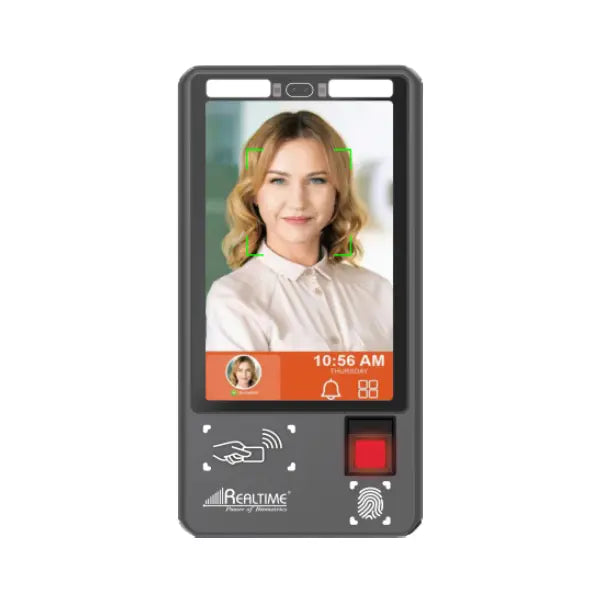
Realtime T503F L1 | AI Face & Aadhaar Fingerprint Attendance Machine
Realtime T503F L1 | AI Face & Aadhaar Fingerprint Attendance Machine
Couldn't load pickup availability
Product Specifications
Realtime T503F L1
Specifications
Realtime T503F L1 is an Android 15 Aadhaar enabled attendance terminal with AI face recognition and a Startek L1 fingerprint scanner. It suits government offices and large organisations that want a big 10.5 inch screen. It has 8 GB RAM and up to 8 hours of battery backup.
| Product type | Aadhaar enabled face recognition |
|---|---|
| Screen | 10.5 inch colour display |
| Battery backup | Up to 8 hours |
| Processor | Octa core, 2.3 GHz |
| Camera sensor | 5 MP |
| Fingerprint sensor | FM220U L1 scanner (Startek) |
| Power supply | 12 V, 3 A |
| RAM | 8 GB |
| ROM | 128 GB |
| Operating system | Android 15 |
Specifications checked against Realtime's published details for this model. All prices include GST.
Frequently asked questions
Is the T503F L1 Aadhaar enabled?
Yes. It is an Aadhaar enabled face recognition device with an L1 fingerprint scanner.
Which fingerprint scanner does it use?
The Startek FM220U L1 scanner.
What is the screen size?
10.5 inch colour display.
How long does the battery last?
Up to 8 hours of battery backup.
What are the processor and memory?
Octa core 2.3 GHz with 8 GB RAM and 128 GB storage.
What power supply does it need?
12 V, 3 A.
Is there a metal cabinet for it?
NavKar sells the MC-503 cabinet for the Realtime Aadhaar 503 face device; confirm the fit for the T503F L1 with NavKar before ordering.
How does a biometric attendance machine work?
It identifies each person by fingerprint, face, palm or card and records the exact punch time. Reports can be downloaded as Excel or PDF, and many models connect to software over LAN or Wi-Fi, depending on the model.
Can the same machine also open a door?
Many models have a relay output that can control an electronic door lock, so one device can mark attendance and give door access. Check the product specifications for the relay or access control feature.
What do I need to install it?
A wall mount or desk stand, a power adapter and, for network models, a LAN cable or Wi-Fi. Our team gives free technical support for setup.
Is technical support available?
Yes. Free technical support is available for installation and setup.