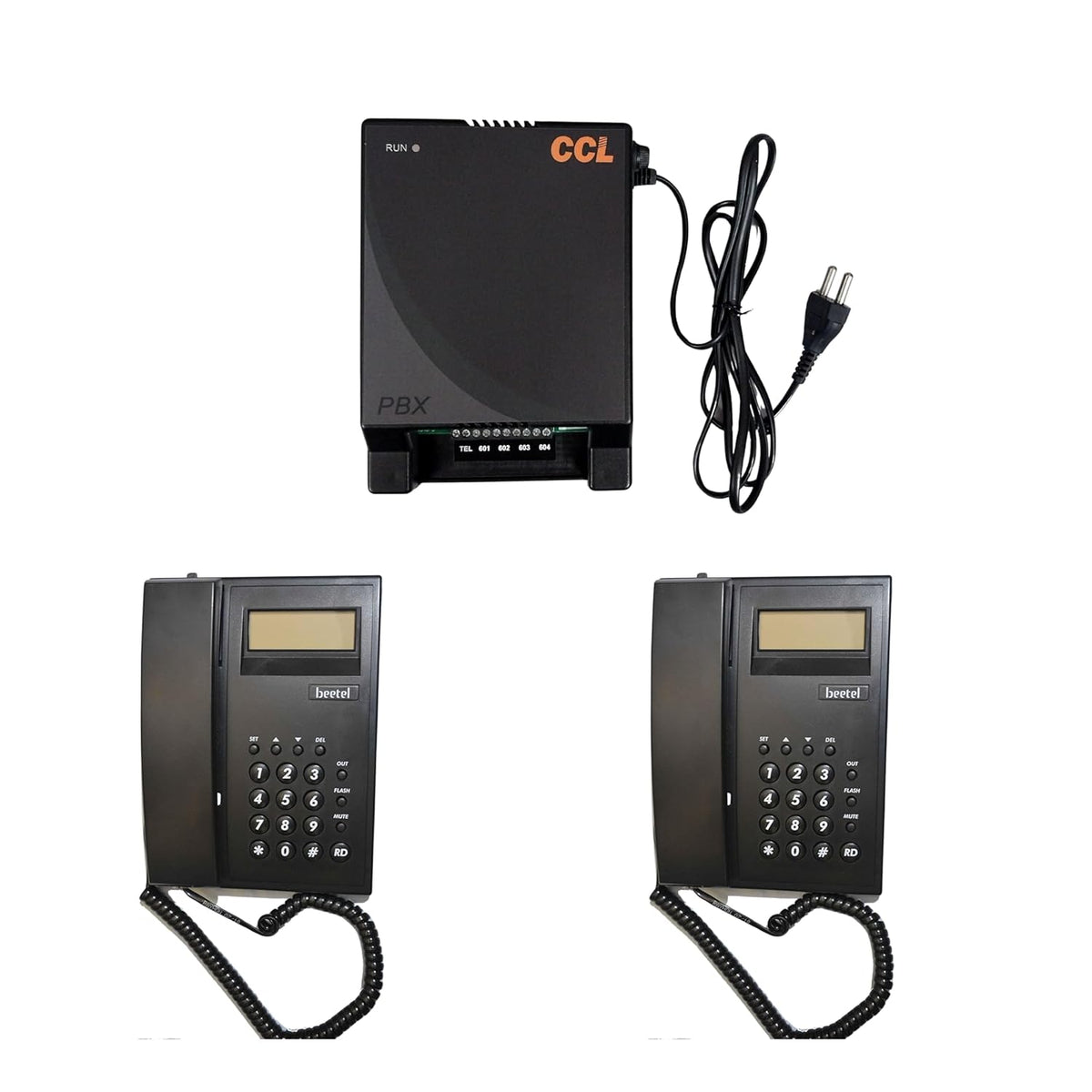
This Package Includes
CCL-104B=1pcs
C51=2pcs

NavKar Systems
 . Cheaper here, direct.
Amazon price checked 28 Oct 2026; Amazon prices change often. All our prices include GST, with the same warranty and free support.
Couldn't load pickup availability
The CCL 104B EPABX Intercom System is a reliable communication solution designed for small to medium-sized businesses or residential setups. It is with 2 pcs Beetel C51 Phones. Here's a breakdown of its features and capabilities. Overall, the CCL 104B EPABX Intercom System provides a cost-effective and efficient communication solution for businesses or households seeking reliable internal and external communication capabilities. It streamlines call management, enhances collaboration, and contributes to improved productivity and customer service
The CCL 104B connects 1 outside telephone line to 4 internal phones. Every phone can call every other phone free by dialling its extension number, and all phones share the outside line for incoming and outgoing calls. It suits homes, clinics and small shops.
1 x CCL 104B system and 2 x Beetel C51 caller ID phones. Ready to wire and use.
2 spare extension ports for more phones later.

Plan for about 20 percent more phones than you have today. This system fits up to 4 phones and 1 line.
Call transfer, hold, call pickup and day / night mode. See the feature list above for this exact model.
No landline? Add a GSM gateway to use a mobile SIM as a line. Add a door phone and lock kit to open the gate from any phone.

Yes. It works as an internal intercom with no line connected.
Any standard analogue phone in tone or pulse mode. Use caller ID phones such as the Beetel C51 or M71 where you want to see who is calling.
Power-backup compatibility is model-specific. Follow the manual for the exact supplied model; do not connect batteries directly without an explicitly supported battery input and voltage.
Hundreds of metres on good 2-core telephone cable. CCL specifies under 600 ohms loop resistance per extension.
CCL and Beetel Combo-CN143
This kit pairs the CCL 104B EPABX, with 1 outside line and 4 extensions, with 2 Beetel C51 caller ID phones. Every phone can call the others by extension and all share the outside line. It suits homes, clinics and small shops.
| System: Model | CCL 104B |
|---|---|
| System: Outside lines | 1 |
| System: Extensions | 4 |
| Phone: Quantity | 2 |
| Phone: Model | Beetel C51 (M51/C51) |
| Phone: Caller ID | FSK/DTMF compatible |
| Phone: Display | 16 digit LCD |
| Phone: Call memory | 30 incoming, 5 outgoing |
| Phone: Redial | 31 digit redial memory |
| Phone: Clock | Real time clock with year, date and month display |
| Phone: Flash | 300 ms default, programmable 100, 300, 600 or 1000 ms |
| Phone: Dialling | Tone or pulse, selectable through the * key |
| Phone: Ringer | Volume control switch |
| Phone: Mounting | Desk or wall |
| Phone: Certification | TEC certified |
Specifications from NavKar Systems' product details for this model. All prices include GST.
The C51 reads FSK and DTMF caller ID, but the listing does not confirm that the CCL 104B passes caller ID to extensions. Ask our team before relying on it.
Yes. The CCL 104B has 4 extensions, so 2 ports are free for more phones.
Yes. With no outside line connected, the phones still call each other as an intercom.
Yes. Add a GSM gateway, which works as the outside line.
Run 2-core telephone cable from each phone back to the system, connect the outside line to the LINE port and each phone to an EXT port. Keep it about 30 cm away from mains wiring.
Yes. The Beetel C51 can be used on a desk or mounted on the wall.
The listing does not confirm battery backup for the CCL 104B. Do not connect a battery unless the manual shows a battery input.
An EPABX is a small phone exchange. It shares a few outside lines between many extensions and lets staff call each other free of charge on an intercom.
No. Standard corded or cordless telephones work as extensions. Simple 2 core telephone wire connects each extension to the exchange.
Pick the number of outside lines that can be in use at the same time and the number of desks or rooms to connect, then add some spare extensions for growth.
Yes. Free technical support is available for installation and setup.