NavKar Systems
NAVKAR SYSTEMS FPCL-PN Concealed Metal Body Fingerprint Drawer Lock,Smart Biometric(20 Fingerprints stored & Each Lock Different EKey)(Can be Install in Sliding/Openable Wardrobe/Drawer/Cabinet)
NAVKAR SYSTEMS FPCL-PN Concealed Metal Body Fingerprint Drawer Lock,Smart Biometric(20 Fingerprints stored & Each Lock Different EKey)(Can be Install in Sliding/Openable Wardrobe/Drawer/Cabinet)

Buying here, direct, gets you the same warranty and prices inclusive of GST, plus free setup help on call and WhatsApp.
View on Amazon.inCouldn't load pickup availability
Buying for a project or in bulk?Why businesses buy from NavKar Systems
- 16+ years in security and access control. Established as NavKar Systems in 2012.
- A real office and warehouse you can visit. Vastu Building, 28–29 Jagadhari Road, Ambala Cantt, Haryana.
- Also sold on Amazon.in by our seller account, NAVKAR SYSTEMS.
- Volume pricing. 2 or more items save 3%, orders of ₹10,000 or more save 5%, applied at checkout. Larger projects get a written quote.
- Safe prepaid checkout. UPI, cards or net banking through PayU. All prices include GST.
- Free setup help on call and WhatsApp after delivery.
About this item
- Keyless/Smart/Safe, Biometric Fingerprint, More than 20 Fingerprint can be added
- Lock can be installed easily, which at the same time you don’t need to worry about forgetting the keys
- Compact Design, Easy to use and install
- Two mode for locking ,automatic and manual
- Widely used in drawer, cabinet, wardrobe etc. Turn your drawers and cabinets into safe asset
- USB Slot For Emergency Unlocking , If batteries drain and you forgot to change batteries you can use any Android USB Cable and Connect and Open the Lock
- Low Battery Indication , When Red LED blink after Green LED when you open the Cabinet or Drawer It means Batteries are Low and Its time to Change the Batteries
Single package included:
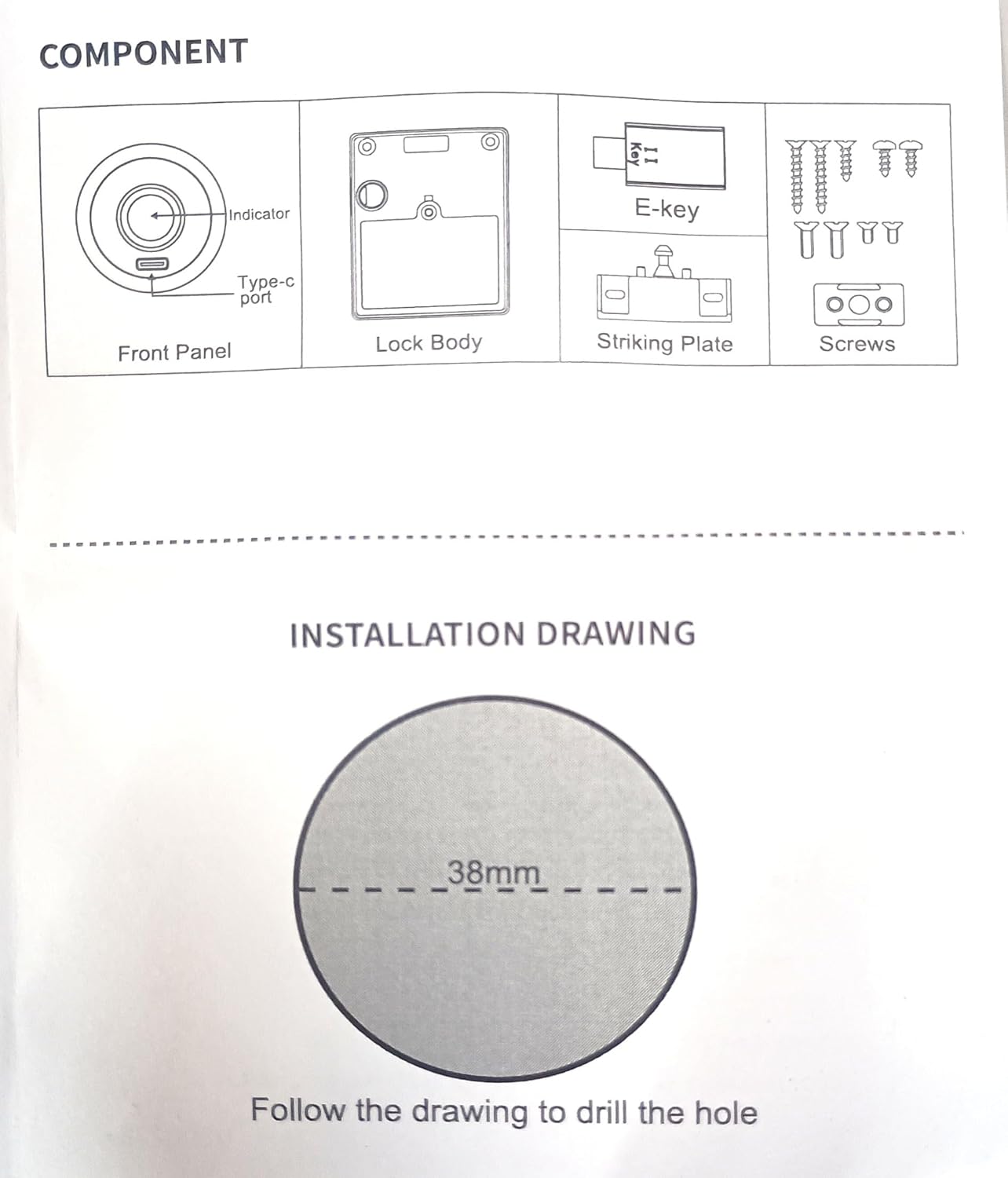
1*Front Panel
1*Lock Body
1*Striking Plate
Screws Set
1*Manual
How to use it ?
Register fingerprint: Shortly press Register key for 2 sec Blue LED will Glow, Put fingerprint on sensor 5 Times, Green LED Stable for 2 sec means register OK You can register next one. As mentioned above.
Delete fingerprint: Long press Register key for 5 Sec. Red LED come means delete all fingerprints back to factory setting. Now, any fingerprint can open lock.
Correct usage: Finger must touch the panel, then lock can check fingerprint unlock, will auto close after 5s.
Note: Default factory settings, pls register fingerprint after install it!
Emergency power port:DC5V Android Micro USB.