CCL
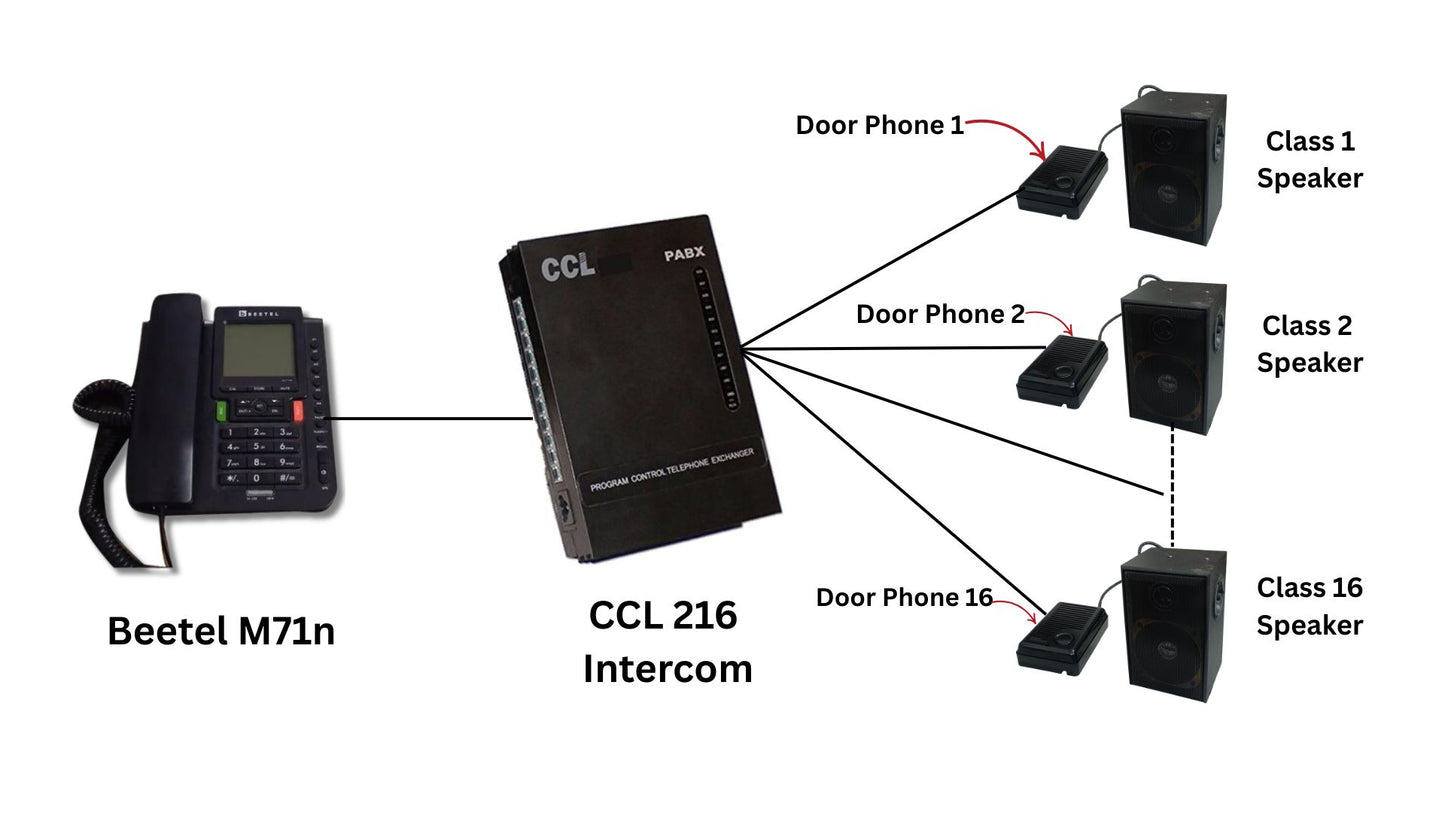
School Broadcast System with 216 EPABX with 16 unit of (Door Phone + Speaker) with 1 set of Beetel M71N Phone
School Broadcast System with 216 EPABX with 16 unit of (Door Phone + Speaker) with 1 set of Beetel M71N Phone
 . Cheaper here, direct.
- Amazon.in price
- Rs. 40,000
- Here, direct
- Rs. 38,000
- You save
- Rs. 2,000 (5% less)
Amazon price checked 28 Oct 2026; Amazon prices change often. All our prices include GST, with the same warranty and free support.
Couldn't load pickup availability
Enhance your school or campus communication with the School Broadcast System from Navkar Systems, featuring a 216 EPABX system, 16 set of (Door Phone + Speaker units) and 1 set of Beetel M71N Phone. This reliable and easy-to-use system is designed for clear two-way communication and centralized announcements, making it ideal for educational institutions, offices, and large campuses.
The 216 EPABX system acts as the central communication hub, allowing staff to make instant announcements to all connected Door Phone + Speaker units or communicate directly with individual classrooms or departments. The integrated Beetel M71N phone ensures easy control and operation from the central office.
Key Features
- Comprehensive Broadcast Solution: Supports centralized announcements and two-way communication.
- 216 EPABX Main System: Reliable and scalable for large campuses and institutions.
- 16 Set of (Door Phone + Speaker) Units: Ideal for classrooms, offices, or different zones for clear audio.
- Beetel M71N Phone Integration: Easy operation from the main office for daily announcements or emergency alerts.
- Robust and Durable: Wired connection ensures stable performance and low maintenance.
- Multi-Application: Suitable for schools, colleges, coaching institutes, and administrative buildings.
Applications
- Daily announcements and paging in schools or colleges.
- Emergency alerts to classrooms or specific zones.
- Centralized communication in large office spaces or industrial setups.
Announce to every classroom.
The 216 EPABX is the hub: the office phone can talk to any classroom unit or make announcements through the speakers, and classrooms can call the office.

How to install.
- Fit the electronic lock on the inside of the gate or door with the strike on the frame.
- Run cable from the lock and door unit back to the intercom location.
- Connect them through the converter as shown in the manual.
- Test calling and opening from every phone.
See door phone and lock in our guide and all main gate security.