NavKar Systems
EM-602 Electro Magnetic Lock/EM Lock Single Leaf 600 LBS (Standard Size, Silver) Steel Finish
EM-602 Electro Magnetic Lock/EM Lock Single Leaf 600 LBS (Standard Size, Silver) Steel Finish
 . Cheaper here, direct.
- Amazon.in price
- Rs. 1,999
- Here, direct
- Rs. 1,499
- You save
- Rs. 500 (25% less)
Amazon price checked 28 Oct 2026; Amazon prices change often. All our prices include GST, with the same warranty and free support.
Couldn't load pickup availability
Product Overview
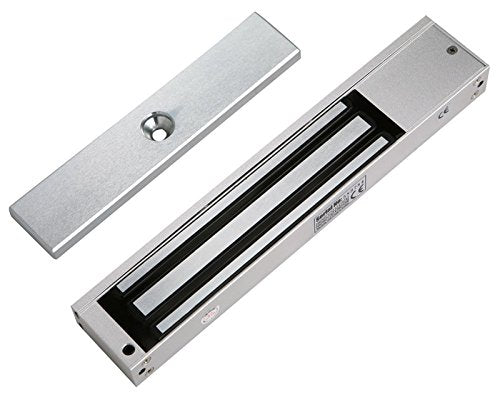
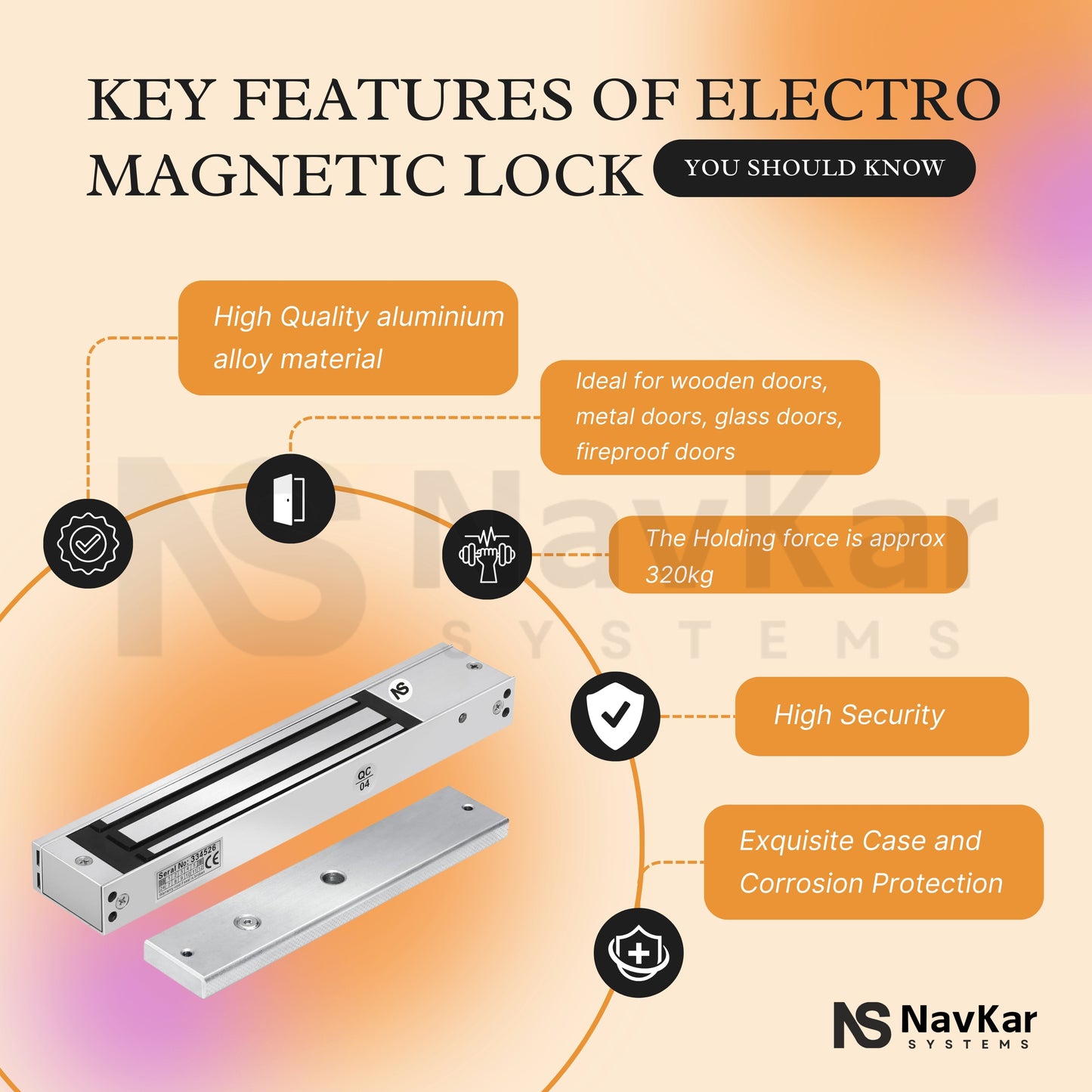
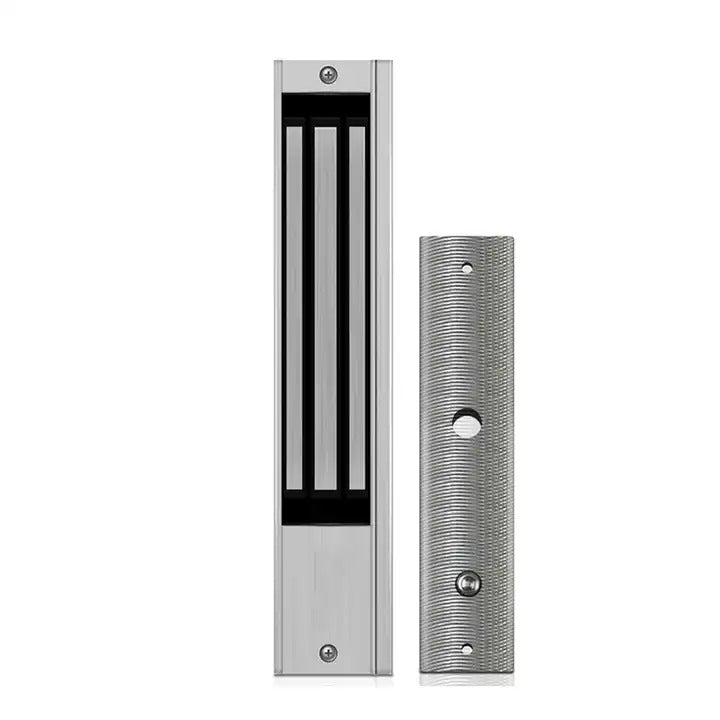
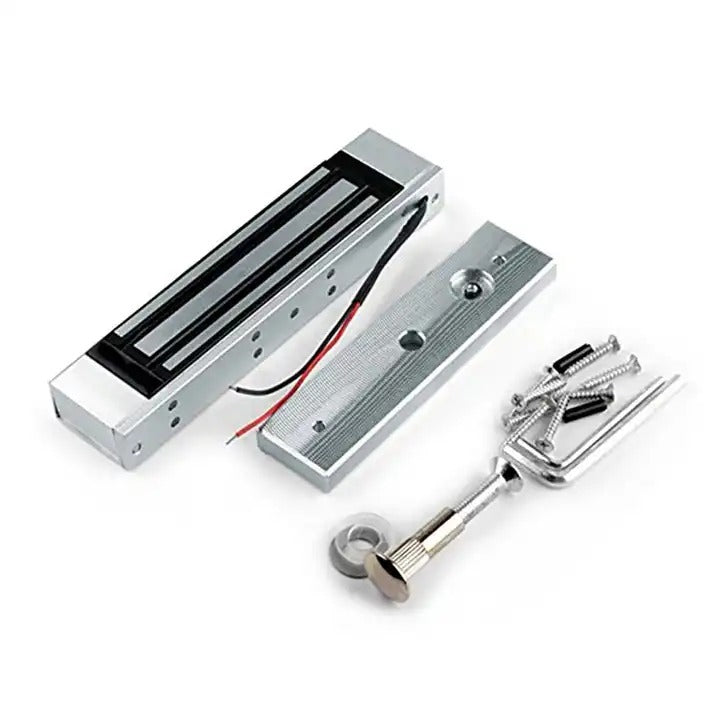
The NAVKAR SYSTEMS EM-602 Electromagnetic Door Lock is a high-strength electronic locking solution designed for access-control and door-security applications. With a 600 Lbs (280 kg) holding force, it provides reliable electromagnetic locking when the door is closed and properly aligned. The lock supports 12V/24V DC operation and features an inbuilt relay, and monitored door sensor for enhanced access control and door-status monitoring.
Key Benefits
- 600 Lbs / 280 kg holding force for strong door security.
- 12V/24V DC compatible for flexible installation.
- Fail-safe operation for controlled access applications.
- Inbuilt relay simplifies integration with access-control systems.
- Door sensor monitoring helps track door status.
- Silver/natural finish provides a clean, professional appearance.
- Monitored design supports security and access-management applications.
Main Purpose
The main purpose of the EM-602 is to secure and control access through doors using electromagnetic locking technology. It is designed to work with access-control systems where authorized users can release the lock electronically while the system monitors the door status.
Important Features
- 600 Lbs (280 kg) Holding Force – Provides strong electromagnetic holding capability.
- 12V/24V DC Operation – Supports two commonly used DC power configurations.
- Fail-Safe Design – Designed for fail-safe electromagnetic locking.
- Inbuilt Relay – Allows integration with compatible access-control systems.
- Door Sensor – Enables door-status monitoring.
- Monitored / Natural Finish – Combines monitoring functionality with a silver natural finish.
- Access-Control Ready – Suitable for controlled-entry and security door applications.
Product Specifications
- Model: EM-602
- Product Type: Electromagnetic Door Lock / EM Lock, Single Leaf, 600 LBS
- Brand: NAVKAR SYSTEMS
- Power Supply: 12V DC / 24V DC ±10%; Current Draw approx. 0.5A @ 12V / 0.25A @ 24V
- Communication: Wired / Access Control Relay; NO/NC/COM Door Status Feedback
- Operating Range: 600 LBS / approximately 280 KG holding force
- Material: Anodized Aluminium Housing; Zinc Magnetic Surface & Armature Plate
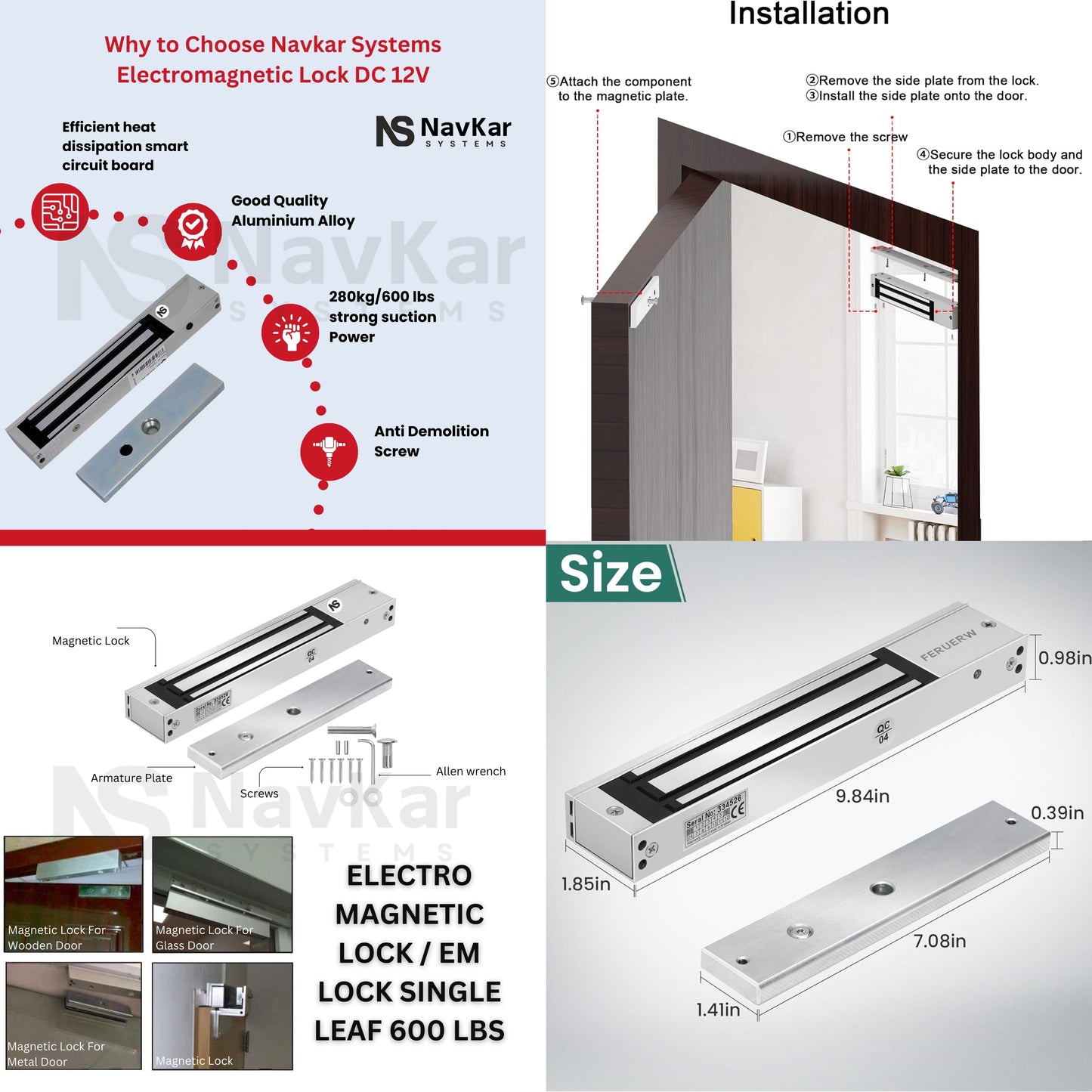
- Dimensions: Lock Body approx. 250 × 42 × 25 mm; Armature Plate approx. 180 × 38 × 11 mm
- Weight: Approx. 1.8–2.0 KG
-
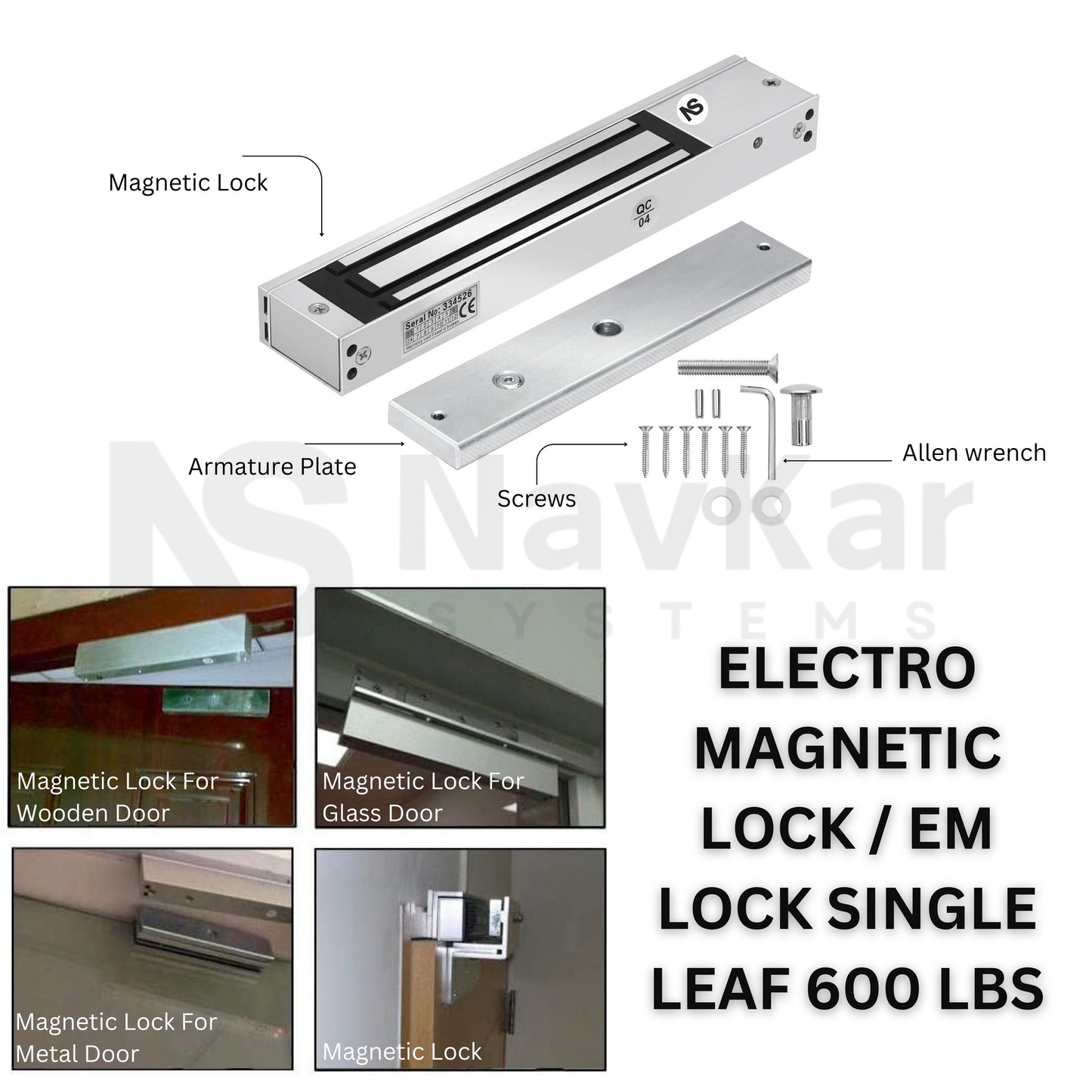
Other Specifications: Fail-safe operation (power off to unlock), built-in LED indicator, door-status feedback, corrosion-resistant construction, built-in reverse-current protection, suitable for wooden, metal, glass and fireproof doors; compatible with biometric access control, push buttons, remote controllers and other access-control systems.
Applications
The EM-602 can be used for controlled access and door-security applications such as:
- Access-control door systems
- Security-controlled doors
- Office doors
- Commercial premises
- Controlled-entry areas
- Building access systems
- Doors requiring electromagnetic locking and monitoring
Suitable For
- Access-control installations
- Security doors requiring electromagnetic locking
- Controlled-entry applications
- Installations requiring door-status monitoring
- Systems operating with 12V or 24V DC
- Professional security and access-control installations
Not Suitable For
- Applications that require a fail-secure locking mechanism
- Installations where 12V/24V DC power cannot be provided
- Applications requiring a holding force greater than 600 Lbs / 280 kg
- Installations where the electromagnetic lock cannot be correctly aligned with the armature plate
- Applications requiring specifications or features not listed for the EM-602
Important: The EM-602 is specified as fail-safe, so the locking behavior should be considered carefully when designing the overall security system.
Package Contents
The package includes:
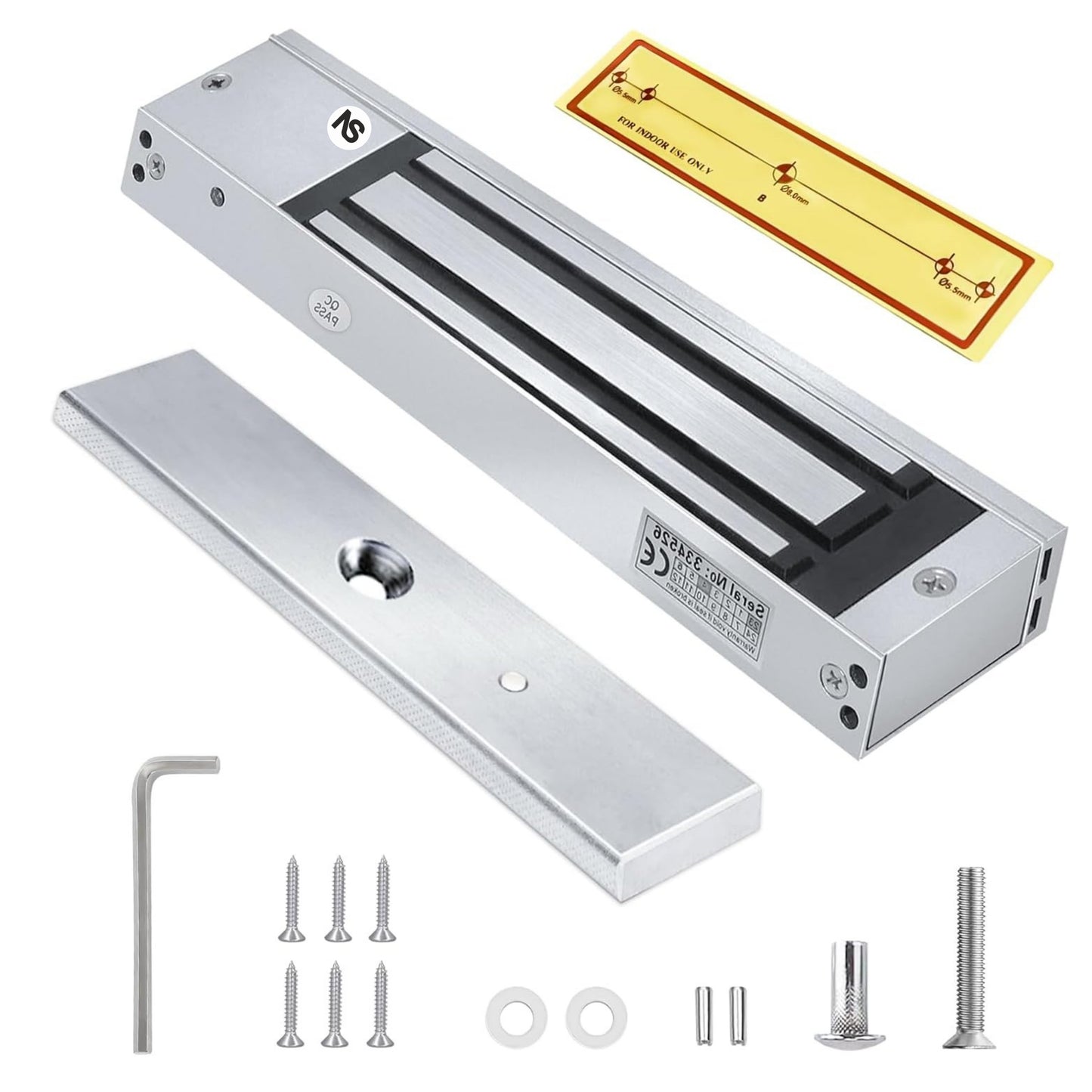
- EM-602 electromagnetic lock
- Armature plate
- Mounting screws
- Mounting hardware
- Washers
- Mounting pins/hardware
- Allen key
- Installation accessories
Installation
Step 1 — Select Installation Position
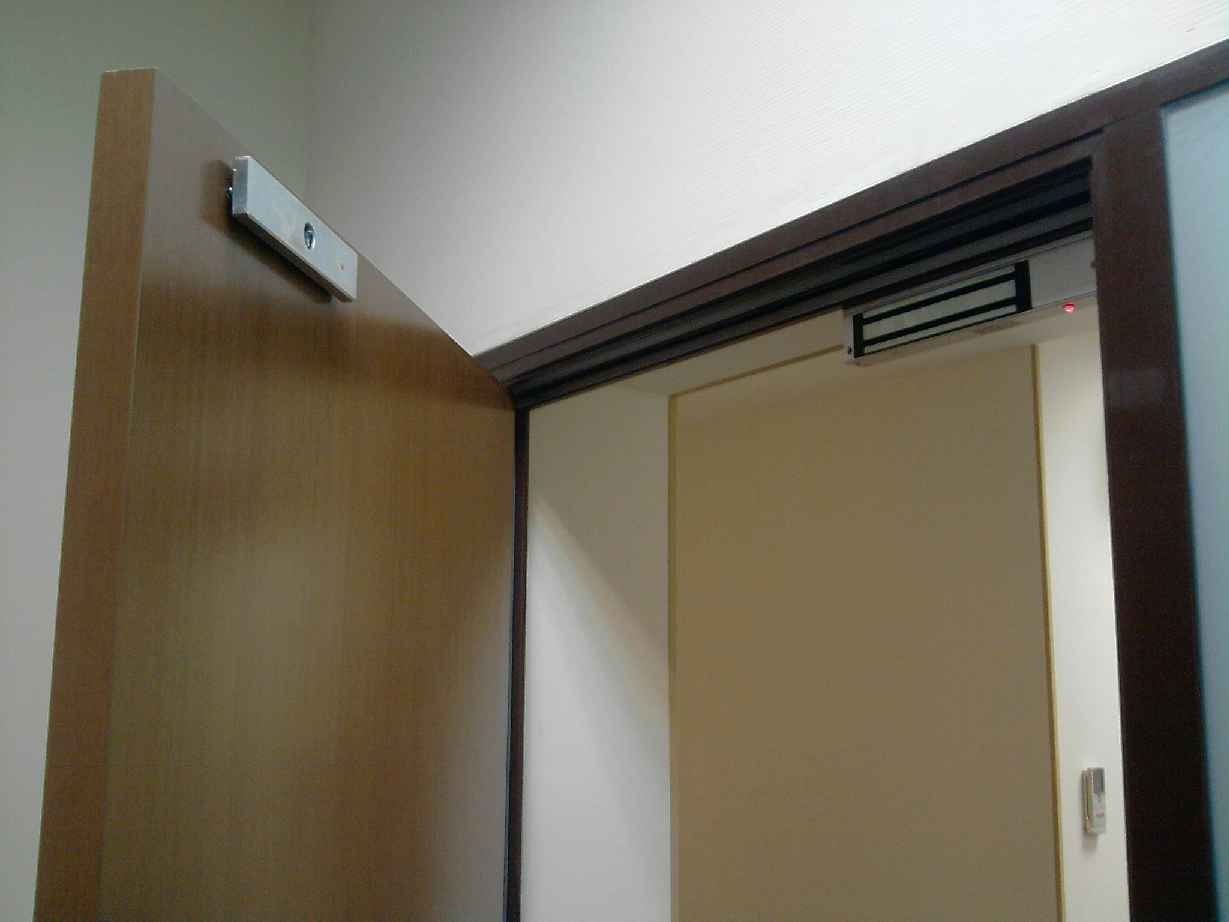
Position the electromagnetic lock and armature plate correctly on the door and frame.
Step 2 — Mount the Lock
Secure the electromagnetic lock body firmly to the appropriate mounting surface using the supplied mounting hardware.
Step 3 — Mount the Armature Plate
Install the armature plate on the door so that it aligns correctly with the electromagnetic lock when the door is closed.
Step 4 — Check Alignment
Close the door and verify that the lock and armature plate make proper contact. Correct alignment is important for achieving the specified holding force.
Step 5 — Connect Power
Connect the lock according to the required 12V/24V DC configuration and the applicable wiring instructions.
Step 6 — Test Operation
Test locking, unlocking and door-status monitoring before putting the system into regular service.
Installation Note: Final installation and wiring should be performed by a qualified technician when required by the access-control system.
Important Installation & Usage Tips
- Do not overtighten the armature plate screw.
- Allow the rubber ring to provide flexibility to the armature plate.
- Keep the magnetic contact surfaces clean.
- Remove dust, glue, paint or adhesive from the contact surfaces.
- Ensure the lock and armature plate are properly aligned.
- Ensure the door closes completely before the magnet engages.
- Use an appropriate regulated DC power supply.
- Verify the required voltage before connecting the lock.
- Use a suitable access-control relay/controller.
- Test the emergency release function after installation.
- For glass doors, use the appropriate mounting bracket.
- Do not drill or modify the lock body unnecessarily.
- Ensure all mounting screws are securely fixed.
- Check the door-status feedback wiring when applicable.
Wiring
The EM-602 is a wired electromagnetic lock. It requires a regulated 12V DC or 24V DC power supply and can be connected to an access-control system, push-to-exit button, or remote controller. The EM-602 also provides NO/NC/COM feedback terminals for monitoring the door/lock status.
- Power: Connect the positive (+) power supply to V+ and the negative (–) power supply to V−/GND. Use the correct 12V or 24V DC setting before powering the lock.
- Input: Connect the lock to the access-control relay/output. An authorized access signal interrupts power to release the electromagnetic lock. A normally closed (NC) access-control arrangement is typically used for fail-safe electromagnetic locks.
- Output: The NO/NC/COM feedback contacts provide a dry-contact status signal that can be connected to a compatible access-control panel to monitor the door/lock status.
- Other Connections: A push-to-exit button, remote controller, intercom, biometric reader, RFID/card reader or keypad access controller can be connected through the access-control relay to release the lock. The exact terminal/wire assignment should be followed from the EM-602's supplied wiring diagram.
Programming
The EM-602 itself is primarily an electromagnetic locking device rather than a standalone programmable access controller.
Step 1
Configure the connected access-control system according to its own instructions.
Step 2
Test the door sensor and relay operation after configuration.
Operation
Step 1 — Door Closed
When the door is correctly closed and the electromagnetic lock is powered, the magnet and armature plate engage.
Step 2 — Door Secured
The electromagnetic lock provides up to 600 Lbs (280 kg) holding force when correctly installed and aligned.
Step 3 — Access Granted
When the connected access-control system releases the lock, the electromagnetic holding force is removed and the door can be opened.
Step 4 — Monitoring
The door sensor can be used to monitor the door's status as part of the connected security/access-control system.
Troubleshooting
Problem: Door does not lock
Solution:
- Check that the power supply is connected.
- Verify that the supply is 12V or 24V DC as required.
- Check wiring and connections.
- Ensure the electromagnetic lock and armature plate are correctly aligned.
- Check that the door is fully closed.
Problem: Lock has weak holding force
Solution:
- Check alignment between the magnet and armature plate.
- Ensure both contact surfaces are clean and properly seated.
- Verify the correct DC power supply.
- Check mounting screws and mechanical installation.
- Ensure the installation is capable of achieving the specified holding force.
Problem: Door sensor/status monitoring is not working
Solution:
- Check the sensor wiring.
- Check connections to the access-control/security system.
- Verify that the door is properly aligned and closing completely.
- Check the connected controller configuration.
Common Problems
1. Lock does not hold the door securely – Check power supply, alignment and contact between the lock and armature plate.
2. Lock does not release – Check the access-control release signal and wiring.
3. Door sensor does not show the correct status – Check sensor connections and door alignment.
4. Lock installation is misaligned – Reposition the lock/armature plate so that the two surfaces meet correctly when the door closes.
FAQs
Q: What is the holding force of the EM-602?
A: The EM-602 has a rated holding force of 600 Lbs (280 kg).
Q: What voltage does the EM-602 use?
A: The EM-602 supports 12V/24V DC operation.
Q: Is the EM-602 fail-safe?
A: Yes. The EM-602 is a fail-safe electromagnetic lock.
Q: Does the EM-602 have a relay?
A: Yes. It has an inbuilt relay.
Q: Does the EM-602 support door monitoring?
A: Yes. It includes a door sensor for monitoring.
Q: What is the colour of the EM-602?
A: The finish is Silver / Natural Finish.
Q: What is the model number?
A: The product model number is EM-602.
Q: What type of product is the EM-602?
A: It is an electromagnetic door lock (EM Lock) designed for access-control applications.
Spare Parts
Potential service/replacement components include:
- Armature plate
- Mounting screws
- Mounting hardware
- Washers
- Mounting pins
- Allen key
- Door sensor components
- Other manufacturer-specified replacement parts
Note: Ask us for spare-part availability.
Warranty
1 Year Manufacturer Warranty against manufacturing defects. Warranty does not cover physical damage, burning, damage caused by incorrect voltage/electrical faults, improper installation, misuse, or unauthorized modification.
Videos
Demo VideoInstallation Video
Manuals
User Manual

Installation Manual: NA
Wiring Manual: NA
Downloads
Datasheet: Refer to user manual
Wiring Diagram: Refer to user manual
Catalogue / Brochure: NA
Other Downloads: NA
Customer Questions
Q: Can the EM-602 be used with an access-control system?
A: Yes. The EM-602 is an electromagnetic door lock designed for access-control applications and includes an inbuilt relay.
Q: Can it operate on both 12V and 24V?
A: It runs on 12V or 24V DC.
Q: What happens if power is removed?
A: The product is specified as fail-safe. The exact behavior and system design should be verified against the official wiring instructions and the requirements of the complete access-control system.
Q: Does the package include mounting accessories?
A: The box contains the electromagnetic lock, armature plate, mounting screws and hardware, washers and an Allen key.
Q: How much weight can the lock hold?
A: The rated holding force is 600 Lbs (280 kg). This is a holding-force rating and should not be interpreted as a permissible door weight.
Escalation to Support
If the issue cannot be resolved using the information above, please contact NAVKAR SYSTEMS at WhatsApp Support: 90536 35607 with the following information:
Product Model:
Purchase Date:
Problem Description:
Installation Details:
Photos / Videos:
Previous Troubleshooting Performed:
Frequently asked questions
How does an EM lock work?
An electromagnetic lock holds a door shut with a magnet when powered and releases the instant power is cut, which makes it suitable for doors that must open in an emergency.
What do I need to install it?
A matching power supply, a bracket for your door type, an exit button and an access reader or controller.
What holding force do I need?
Choose a holding force rated for your door. Higher ratings, such as 600 lbs, suit stronger doors. The rating is listed in the product details.
Do prices include GST?
Yes. Yes. All prices are inclusive of GST, and NavKar Systems delivers across India.
Is technical support available?
Yes. Free technical support is available for installation and setup.